Help centre / Settings & Admin
Users & invites
Creating admin users, resending invites, deactivating and changing roles.
Settings → Users: invite colleagues by email with a base role. The role dropdown also lists Permission Roles (Operations Director and any custom roles) — picking one keeps the base role and applies the permission profile. Resend invite, reset password, deactivate or delete from the row menu.
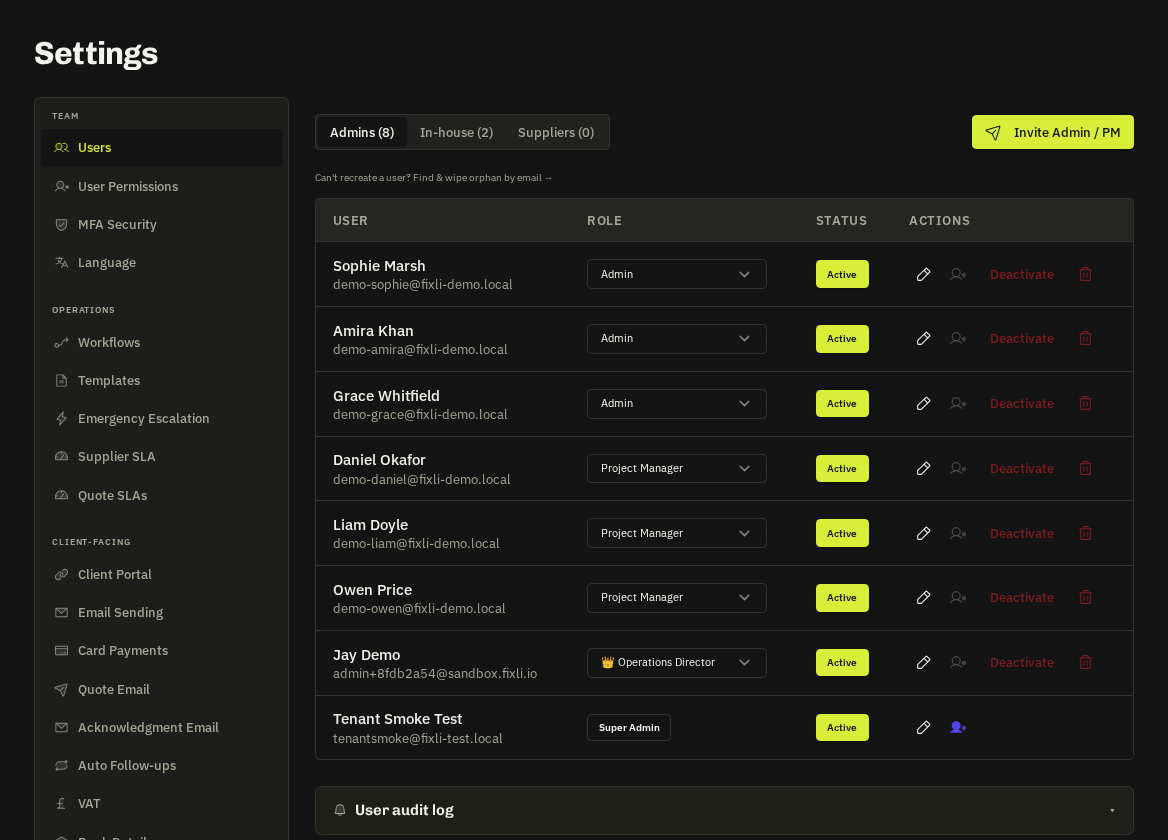
- Guardrails: you can only grant roles at or below your own level; only super admins create super admins; you cannot change your own role.
Related: User roles explained · User permissions (RBAC)