Help centre / Suppliers
Supplier compliance documents
Required documents, verification, expiry alerts and how compliance affects dispatch.
Suppliers → Compliance is the matrix of every supplier's documents — insurance, Gas Safe, NICEIC, H&S policy, RAMS — with status at a glance.
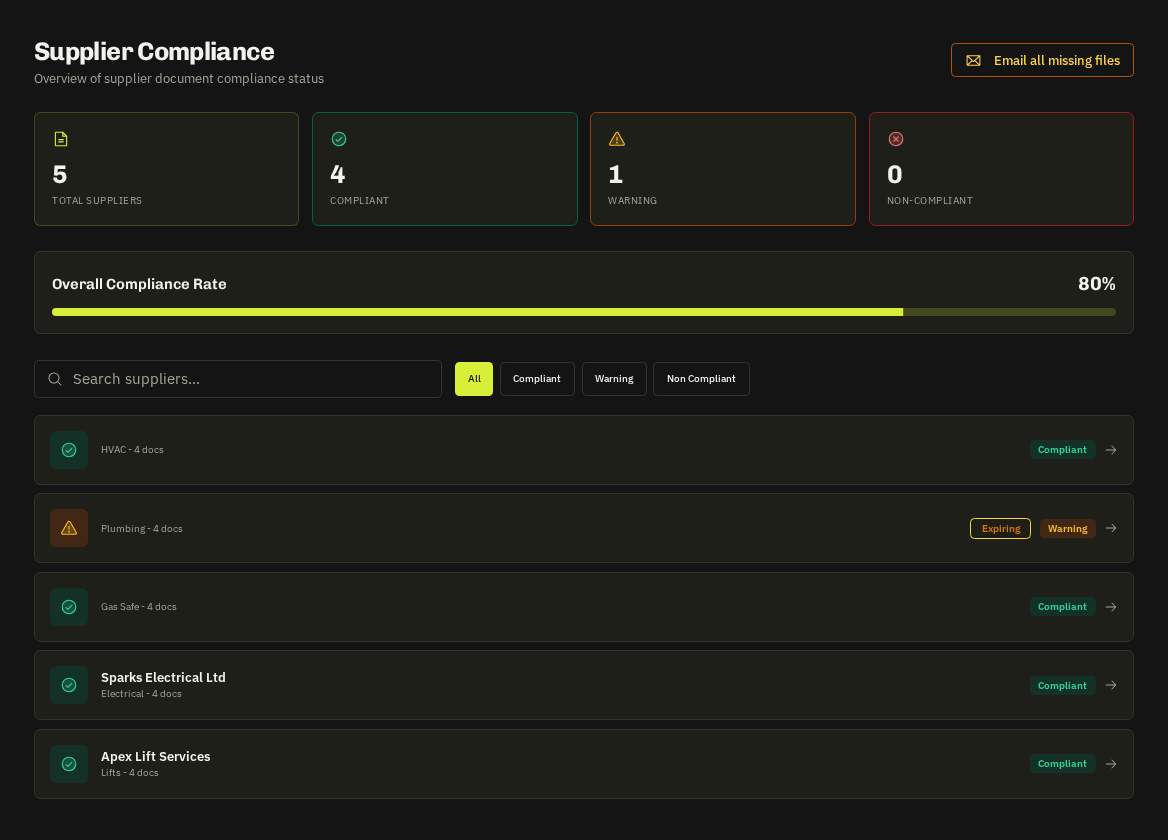
Statuses
| Status | Meaning |
|---|---|
| Verified | You have checked the file and set the expiry |
| Unverified | Uploaded by the supplier or carried from an application — needs a look |
| Expiring | Inside the warning window (default 30 days) |
| Expired | Past its date — the supplier is flagged everywhere |
| Missing | A required document type has never been uploaded |
Verifying
Open the document, check the file, set the expiry date and press Verify. Expiry dates drive the Compliance Calendar and the reminders suppliers receive before a document lapses.
Required documents
Settings → Compliance defines which document types are required for which trades (e.g. Gas Safe for heating). Suppliers see the checklist in their portal's Compliance tab and are chased automatically.
Where compliance shows up
- Quote comparisons show each supplier's compliance state next to their price.
- Calendar and Dispatch Board badge supplier jobs with a red mark when a document is expired.
- Compliance Hub summarises risk across the roster; Portfolio Health rolls it up per property.
- Dispatching to a non-compliant supplier prompts a confirmation and is recorded in the audit log.
Tip: Ask suppliers to upload before you verify rather than emailing PDFs around — the portal keeps the version history and the expiry reminders do the chasing for you.
Related: Compliance calendar (document expiry) · Compliance Hub