Help centre / Insights & Monitoring
Staff monitoring, timers & low-activity alerts
Presence, activity levels, screen captures (opt-in), timers, weekly report and alerts.
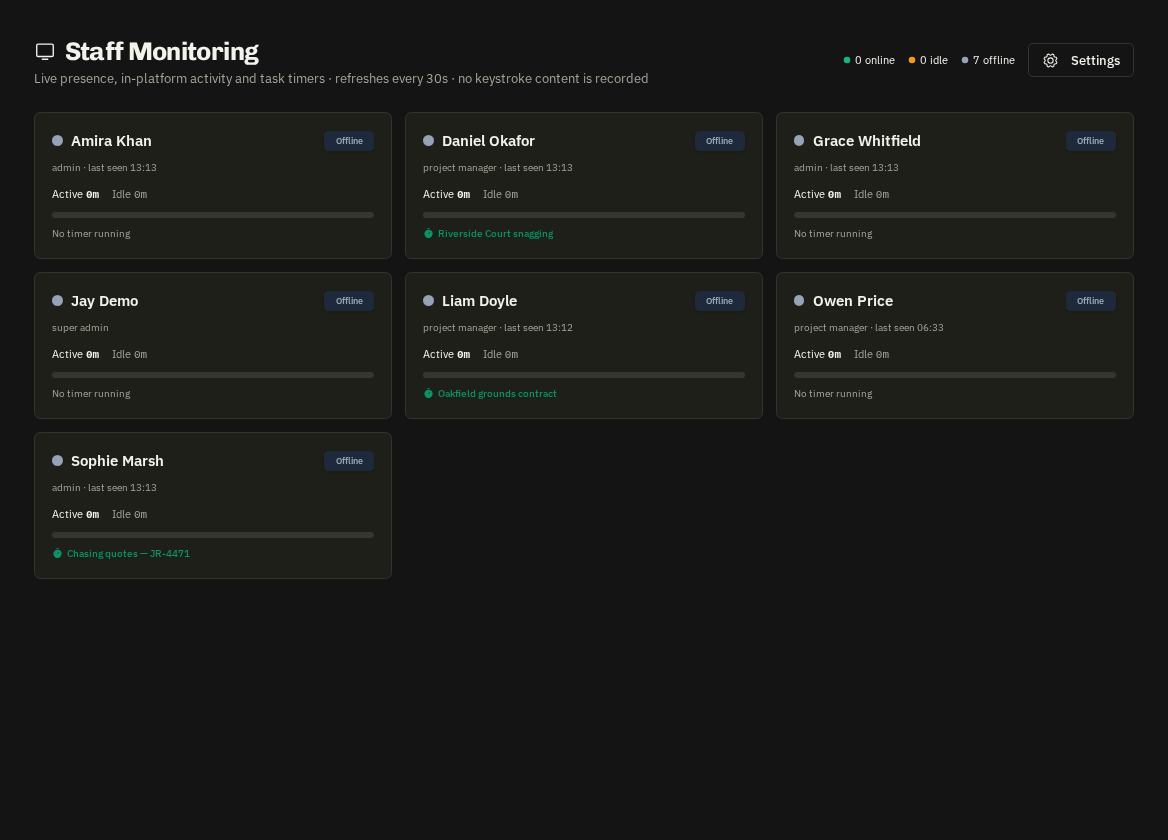
Operational Info → Staff Monitoring (Operations Directors control the settings): a live grid of staff — online/idle/offline, current section, active and idle minutes today, activity %, running timer. Click a person for hourly charts, platform-usage classification, timers and (when enabled) screen captures.
How it works
The web app sends a heartbeat every 30 seconds with keyboard/mouse counts only (never content). Screen captures are off by default; when enabled, staff see a consent pill and must grant screen sharing. Operations Directors are never monitored.
- Timers: the header timer widget logs time against a project or task; totals appear here and in project hours.
Alerts & reports
On weekdays 08:00–18:00, staff who were active earlier but have gone quiet for longer than the threshold (default 45 minutes) trigger one low activity alert per stretch to Operations Directors. A weekly team report email goes out on Mondays.
Related: Staff performance · User permissions (RBAC)