Help centre / Getting Started
Welcome to the Supplier Portal
The tabs, what is expected from you, and where to get help.
The Supplier Portal is where you receive, price, accept and complete work — and keep your compliance in order so you stay eligible for it.
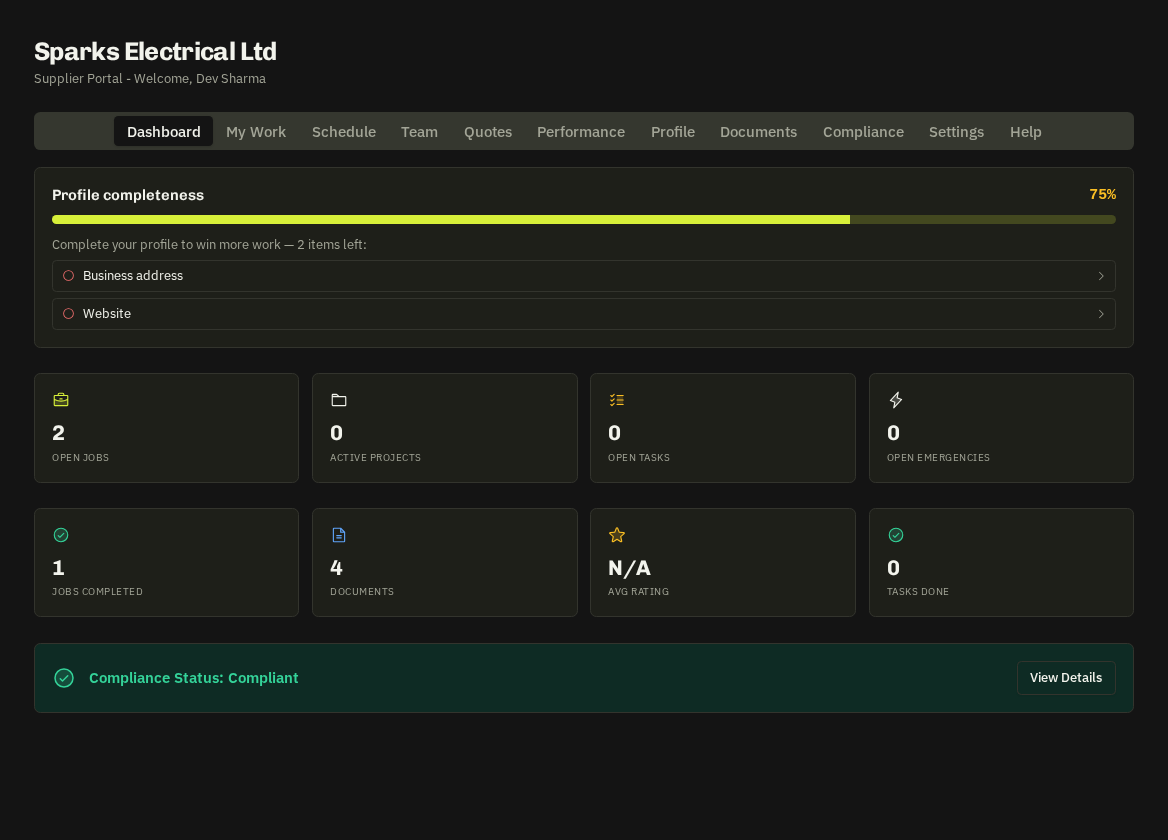
Tabs
| Tab | What's there |
|---|---|
| Dashboard | Your numbers, works orders awaiting a response, recent ratings and awards |
| My Work | Assigned jobs, emergency jobs, projects and tasks |
| Schedule | Everything with a date, plus a calendar feed for your own phone calendar |
| Quotes | Invitations to quote and your own line-by-line quote builder |
| Performance | Your SLA grade, rank among trade peers and client feedback |
| Profile / Documents / Compliance | Company details, services and areas; uploaded documents; the required-documents checklist |
| Team | Your own operatives — invite them so they can arrive / complete on your behalf |
| Settings | Notifications, calendar subscription, availability, install the app, replay the walkthrough |
| Help | These guides, searchable |
On phones the tabs become a bottom bar.
What is expected of you
- Respond promptly to works orders and quote invitations — response speed is part of your SLA grade.
- Keep required documents in date — expired insurance takes you out of dispatch.
- Arrive and complete with photos — before / after photos are checked at completion.
- Keep services and areas accurate — that is how you are matched to work.
First visit
A short walkthrough opens automatically; replay it from Settings. The round ? button shows help for the page you're on.
Note: You never see the end client's identity or prices — the property, site contact and scope are all you need. The company you contract with is your customer.
Related: Getting access · Dashboard · Works orders