Help centre / Getting Started
The sidebar: groups, icon rail & your own layout
How the collapsible menu works and the tenant-wide switch that keeps every group open.
The left-hand menu is organised into groups in a fixed order: Dashboard · Job Requests · Jobs · Emergency Jobs · Projects · Contracts · Quotes · Works Orders · Budgets · Invoices · Calendar · Communications · File Hub · Clients · In-House Team · Suppliers · Marketplace · CMMS · HR & People · Health & Safety · Accounting · Support · Operational Info · Revenue & Growth · Settings.
Working with groups
- Click a group name to open or close it; the group holding the page you're on opens by itself and the active link scrolls into view.
- Your open/closed choices are remembered on this device.
- A closed group shows a badge with the total waiting inside it (unread notifications, pending expenses, draft purchase orders…).
- Collapse the whole sidebar to the icon rail — one icon per group, a red dot when something is pending; clicking an icon re-opens the sidebar on that group.
- Modules you haven't added to your plan are hidden from the menu (or show a lock where a trial is available).
Keep everything open instead
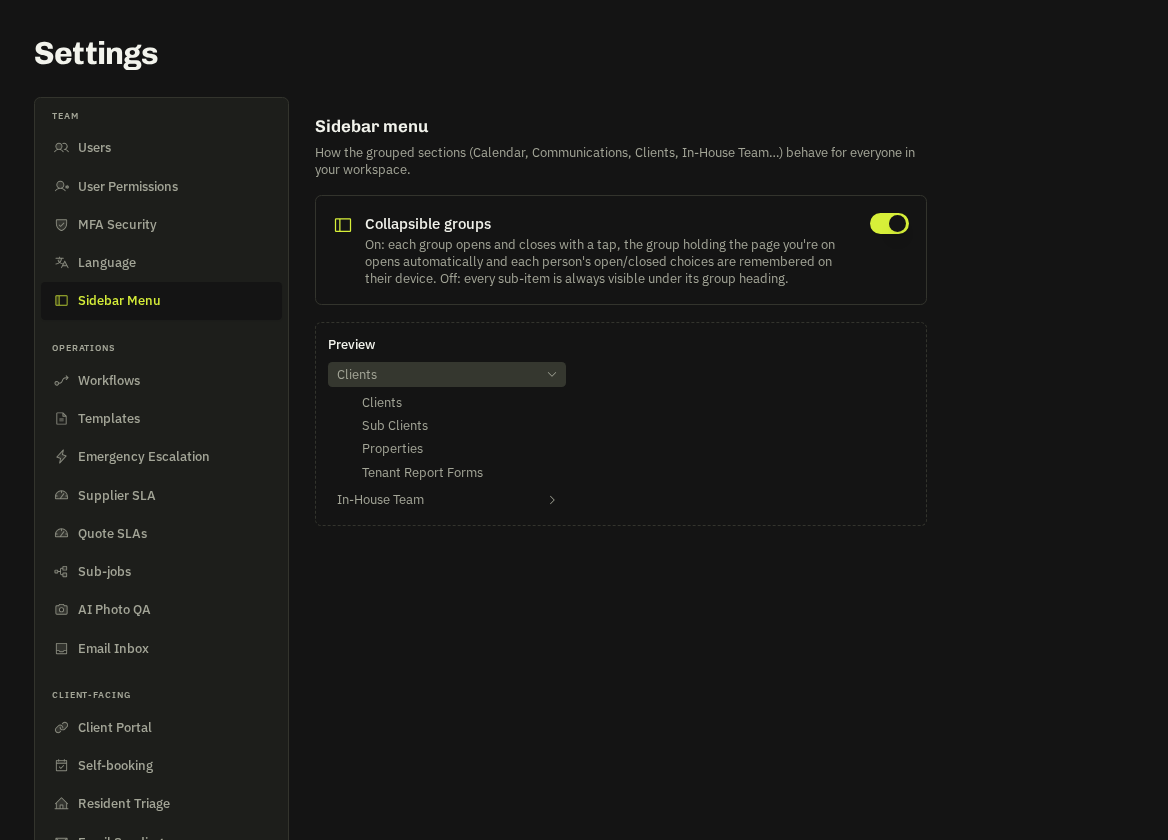
Prefer the old flat menu? Settings → Team → Sidebar Menu has a workspace-wide switch Collapsible groups. Off = every group is always expanded as a labelled section for everyone in the workspace. Super admins and admins can change it; the change is audited.
Note: The mobile menu (burger icon) uses the same groups and the same open/closed memory.
Related: Navigating the platform · Module add-ons & free trials