Help centre / Job Requests & Quotes
Request supplier quotes (invite links)
Sending quote invitations and what suppliers see on the submit-quote page.
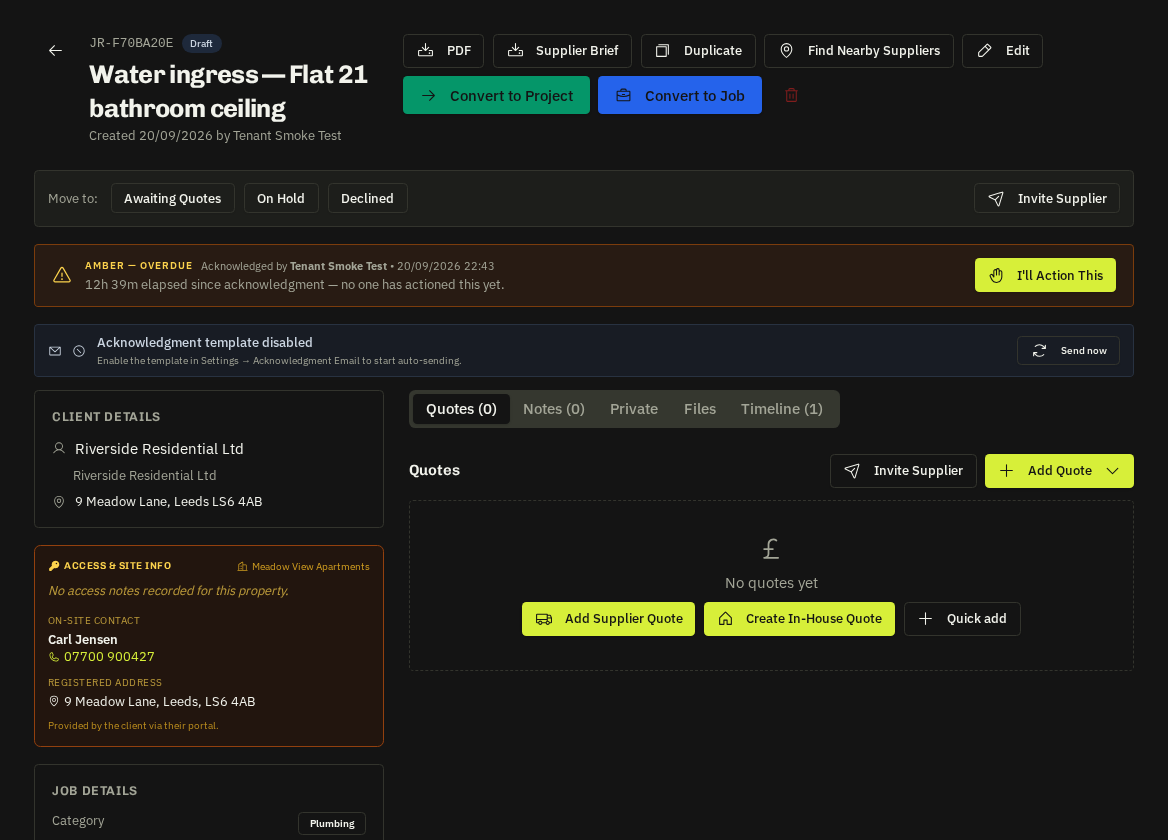
On the request, use Invite Supplier / Request Quotes and pick one or more suppliers — or type an email address for a supplier not yet on the system.
What the supplier receives
A branded email with the PDF brief (scope, address, photos — client prices and identity stripped) and a single-use link to the submit-quote page. Suppliers with a portal login also see the invitation under Quotes in their portal.
The submit-quote page
The same line-by-line builder as the supplier portal: description, quantity, unit, unit cost per line, their own private markup, VAT toggle, validity date, notes and attachments.
Important: Only the final figures are stored on your request. The supplier's markup percentage is never saved or shown to you or the client.
Tracking
- The request timeline logs every invitation, reminder and submission.
- The SLA beacon turns amber after 2 working days without any quote and red after 4 without a quote sent to the client (Settings → Quote SLAs).
- Auto-chase nudges invited suppliers who haven't responded (Settings → Quote follow-ups).
Adding quotes yourself
Received a quote by email or phone? Use Add Quote to key it in against the supplier (or as a manual quote) — it takes part in comparison like any other.
Related: Add quotes to a request · Compare quotes side by side · Quote SLAs