Help centre / My Work & Jobs
Arriving on site: check-in, proximity prompt & off-site flags
What Arrive records, the green check-in prompt, and why you might see an off-site warning.
- Press Arrive — when you reach the property. It records the time and, if you allow location access, where you were. The job moves to In progress, the office sees you're on site, and the client's portal updates.
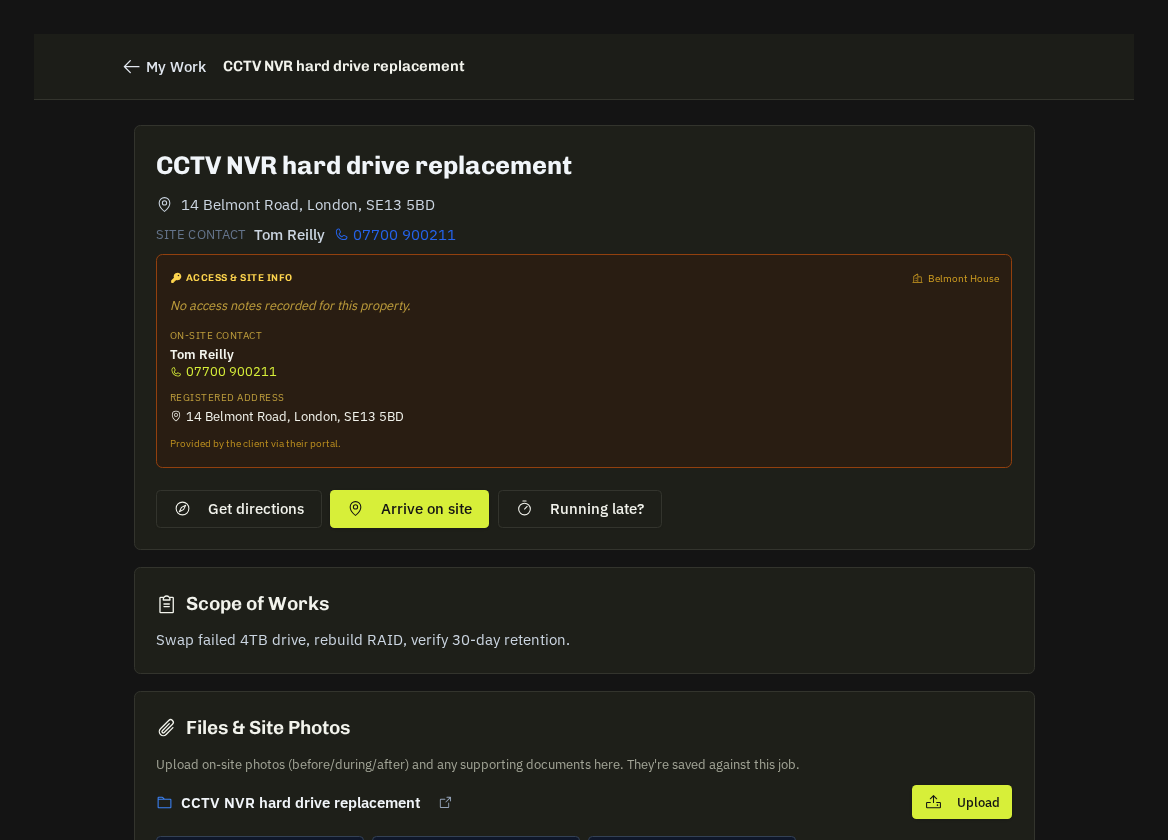
Proximity prompt
When your phone is within 500 m of the job's location a green banner appears — 'You're 120m from the job — Tap to check in now'. Tap it to arrive in one step.
Off-site warning
If you press Arrive while more than 500 m away, the arrival is still recorded but shows an amber Off-site check-in flagged banner ('You were 1,200m from the registered job location… your office has been notified'). It's usually a wrong pin or a large site — mention it to the office if it happens regularly.
- Blocked? — Arrive stays disabled until every document under Required Compliance has been acknowledged.
Note: your arrive and complete times build your timesheet, feed the job's on-time record and estimate your mileage — so press them at the moment they happen, not at the end of the day.
Related: Required compliance documents · How your hours & mileage are recorded