Help centre / Knowledge Base
Using & editing the knowledge base
Role tabs, search, Ask AI, feedback and editing articles.
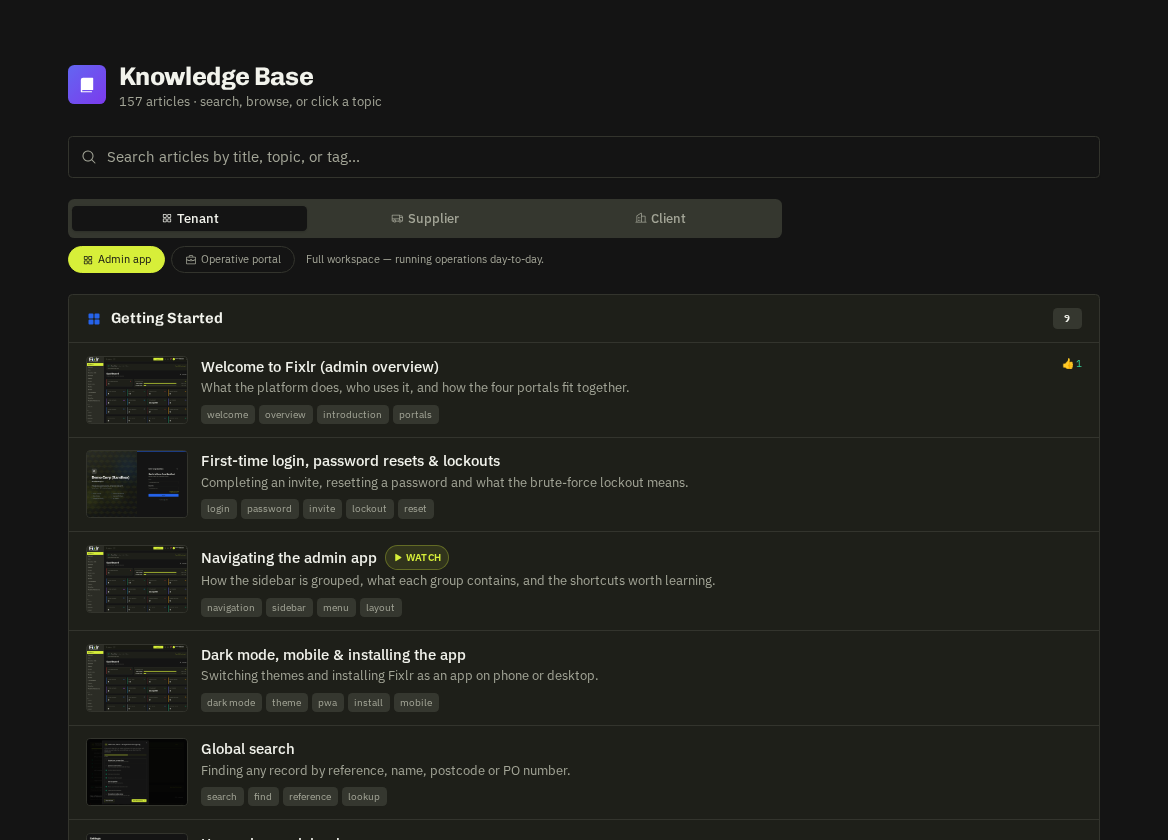
- Knowledge Base — (Support group) has a tab per audience — Admin, In-House, Supplier, Client — so you can read exactly what each portal's users see. Search by keyword or use Ask AI for an answer grounded in the articles with citations.
Editing
Admins can edit any article in place (title, summary, content, tags); edits survive redeploys. Thumbs up/down feedback and gap reports (questions the KB couldn't answer) are listed for you to act on.
Per-portal knowledge bases
Every portal user has the round ? help button, which only ever shows articles for their own role. Suppliers also have a Help tab inside the Supplier Portal. Admins can read every set here via the role tabs — useful when talking a client or supplier through a step.
Narrated walkthroughs
The ten most-used guides carry a Watch badge — open one and a narrated slideshow of real screens plays at the top (play/pause, skip, captions, mute). Screenshots throughout the guides come from a demo workspace, so what you see matches the live product.
Related: Contextual help