Help centre / Jobs, Emergencies & Works Orders
Jobs overview
What a job record contains and how the Jobs list is organised.
A job is approved, schedulable work. It is the record everyone — office, supplier or operative, and client — looks at while the work happens.
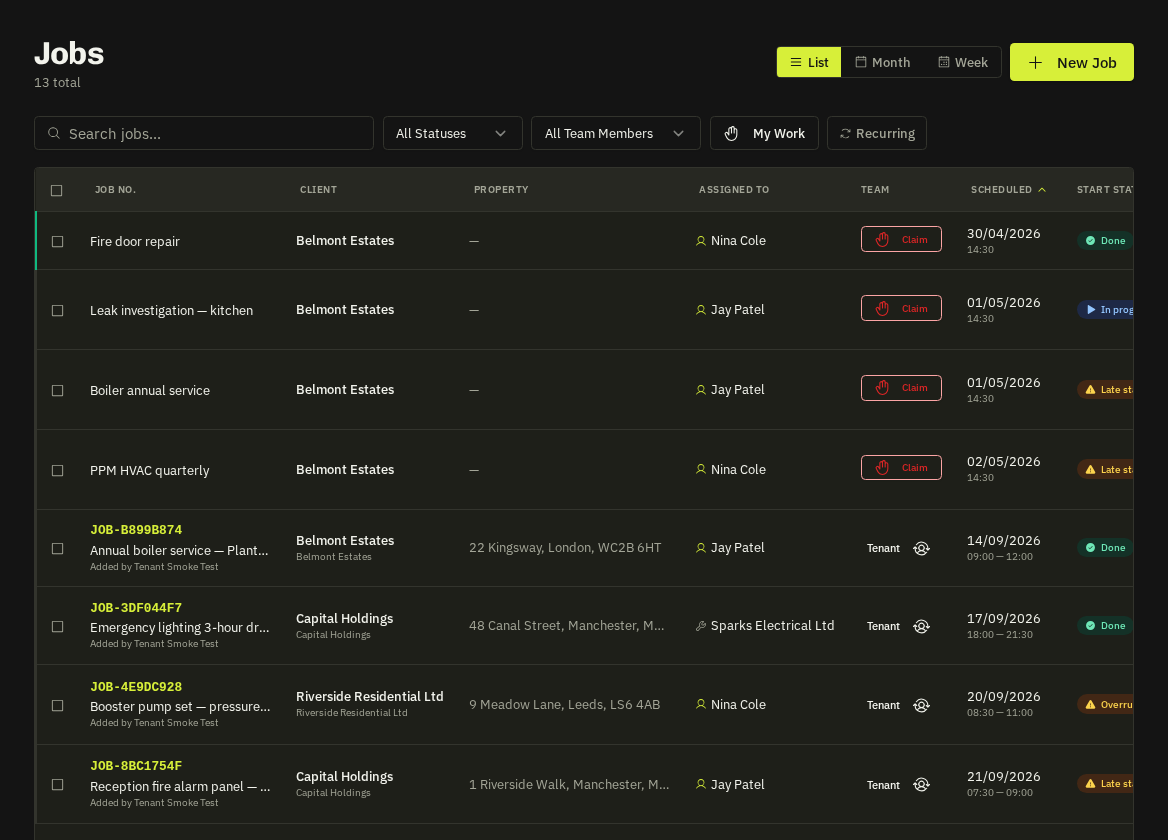
The Jobs list
- Filter by status (scheduled, in progress, completed, cancelled), search by reference, title, client or address.
- Contract visits are deliberately excluded so the list isn't flooded — they live on the Contracts section and still appear on the Calendar and Dispatch Board.
- Header badges: job start SLA state, acknowledgement status, a Contract visit chip with the contract reference, and the assigned supplier card with clickable phone / email.
Anatomy of a job
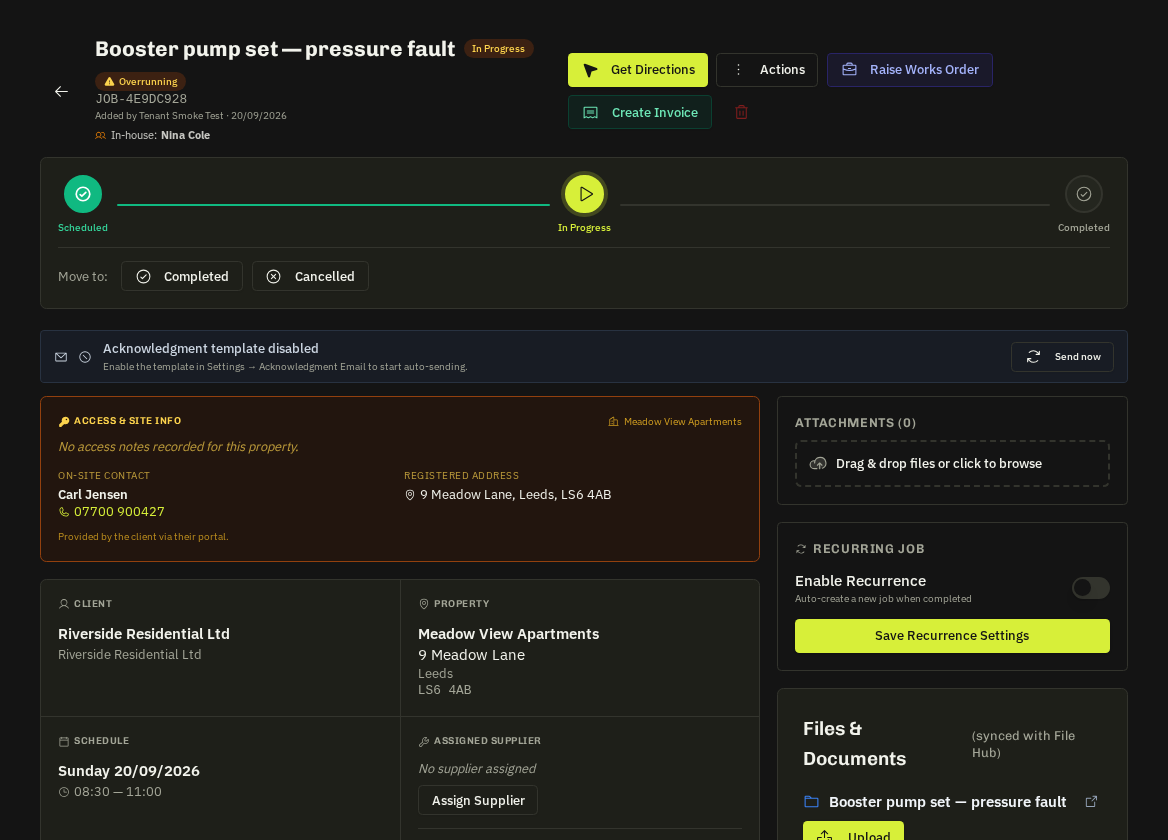
| Section | What it holds |
|---|---|
| Header | Reference, title, status, priority, client, property with what3words |
| Schedule & assignment | Date, arrive / finish window, supplier or operative, works order link |
| Instructions & access | Scope, category, the property's access notes (alarm codes, key safe, parking) |
| Checklist & job forms | Required steps and forms that must be done before completion |
| Files & photos | Before / After folders, drawings, certificates |
| Timeline & notes | Every event, @-mention notes, SMS thread with the client |
| Money | Approved quote, expenses, timesheets, invoice link |
Bulk actions
Select several jobs to change status, reassign or export. Column chips filter by status in one click.
Tip: Use the Text messages panel on a job to send a reminder or reply to the client's SMS — replies land in the same thread.
Related: Edit a job · Job status workflow · Assign a supplier · Assign an in-house operative