Help centre / Jobs, Emergencies & Works Orders
Job status workflow
Scheduled → in progress → completed, who moves it, and what each transition triggers.
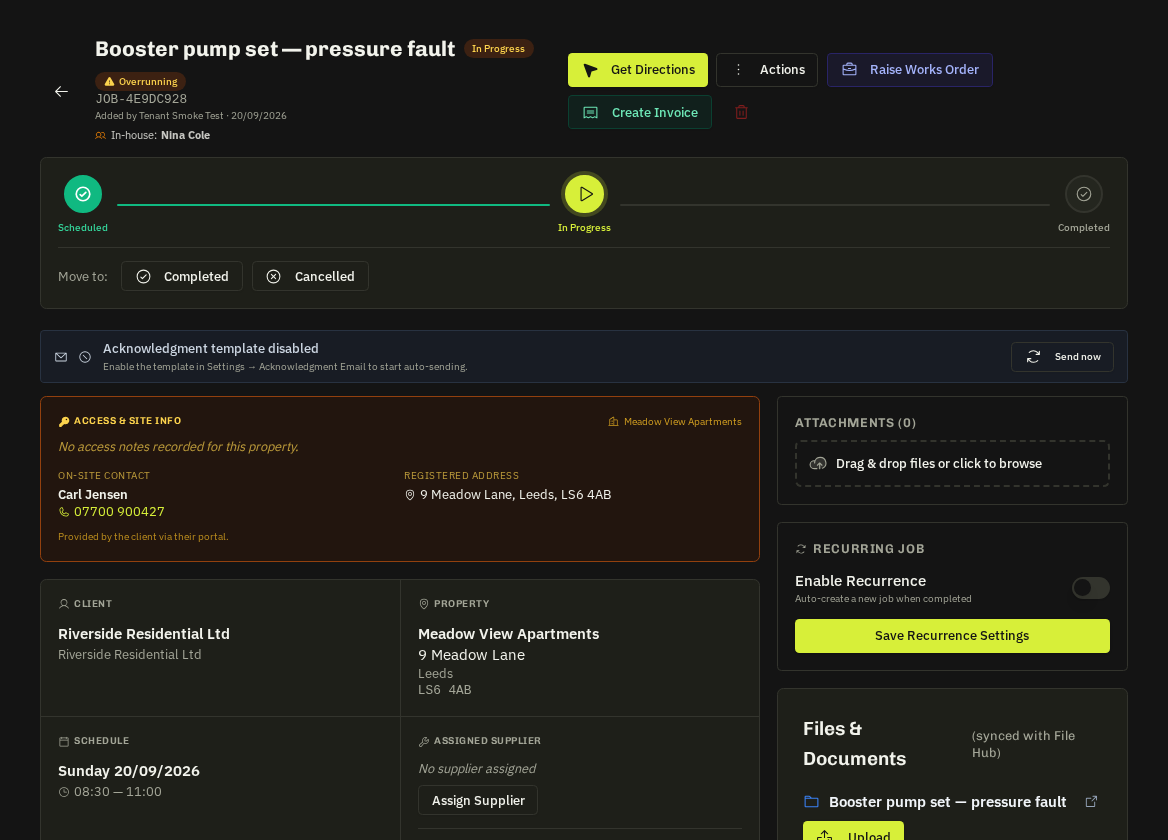
Statuses
| Status | Meaning |
|---|---|
| Scheduled | Booked but not started |
| In progress | The operative pressed Arrive or the supplier acknowledged start |
| Completed | Closed with completion notes and photos |
| Cancelled | Closed without work |
Who moves it
- Admins — from the job page or bulk actions.
- Operatives — Arrive / Complete job in My Work (with GPS check-in and photo checks).
- Suppliers — Acknowledge / Complete in their portal.
What each transition triggers
- → In progress: the client's portal shows In progress; the start-SLA clock stops.
- → Completed: a Raise Invoice call-to-action appears pre-filled from the job; the client is notified with the completion photos; the job feeds the supplier's SLA score or the operative's scorecard; contract visits become invoiceable.
- → Cancelled: the assignee is notified; any draft works order is voided.
Reopening
Only an admin can reopen a completed job (status menu → Reopen). The reopening is written to the timeline.
Note: Completion is blocked until required checklist items are ticked and, for operatives, a photo exists in both Before and After folders.
Related: Job start SLA · Invoices: raising, editing & sending · Job forms & checklists