Help centre / Settings & Admin
Integrations & API keys
Accounting, payments, calendars, Zapier, webhooks and the public API — what connects where.
Settings → Integrations is the hub for everything outside Fixlr. Each card shows Connected / Not connected, the last sync and a Sync now button where relevant.
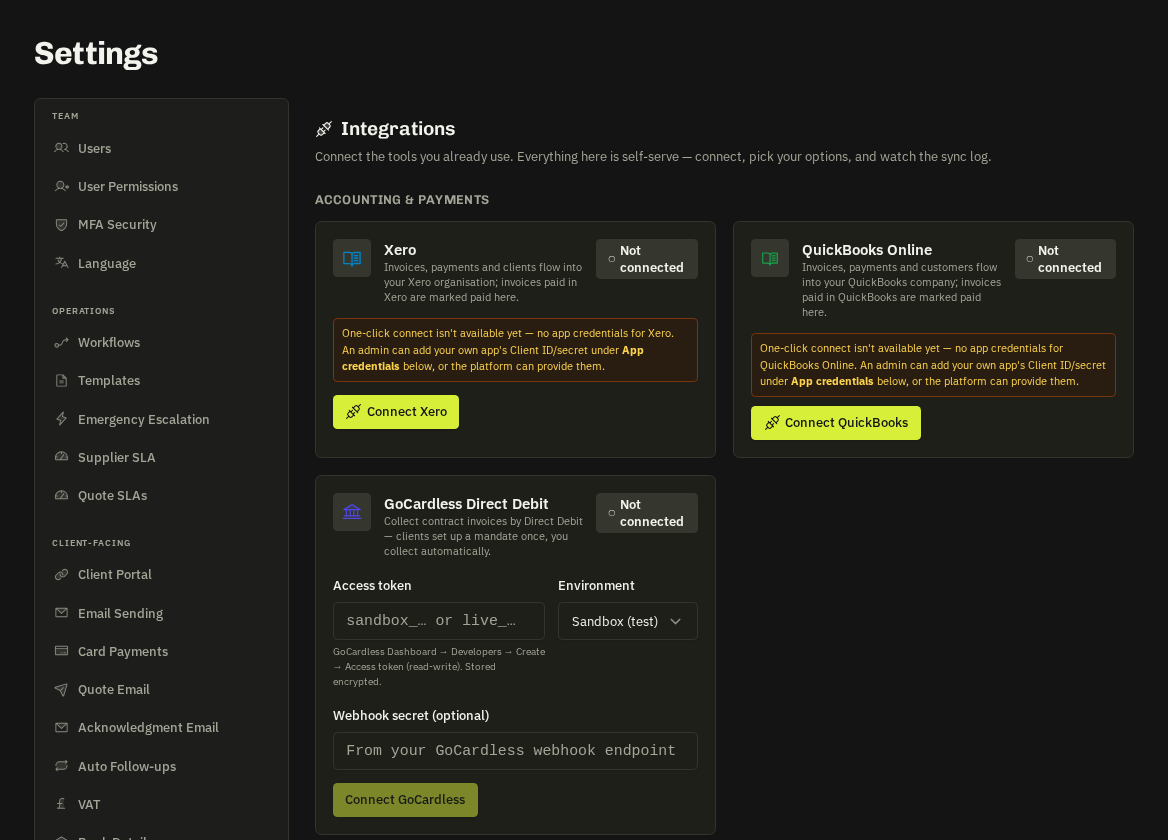
Accounting & payments
| Integration | What syncs |
|---|---|
| Xero | Invoices and payments push to Xero; contacts matched by name |
| QuickBooks Online | Same as Xero for QBO |
| GoCardless | Direct Debit mandates and payment collection for invoices |
| Card payments (Stripe) | Pay by card on invoices — your own Stripe account or Connect |
Calendars & messaging
- Google Calendar / Microsoft 365 — jobs and visits appear in staff calendars; two-way for reschedules.
- Slack / Microsoft Teams — channel posts for new requests, emergencies, completions, failed payments (via Webhooks).
- Text messages (Twilio) — job reminders and two-way SMS with clients.
- WhatsApp Cloud API — intake and job offers.
Automation
- Zapier — the Fixlr app with triggers (request created, job completed, invoice paid…) and actions (create request). Needs an API key.
- Webhooks — POST JSON to any URL on chosen events, with a signing secret and delivery log.
- API keys — for the public REST API; usage shows on the card.
Maps & email
- Google Maps — address lookup, routing, coverage maps (platform-provided; override with your own key).
- Email sending — send from your own domain via SMTP or a verified sender, with a test-send button.
When something stops syncing
- Open the card → View log for the last errors.
- Reconnect if the token expired (Xero / QBO tokens lapse after long inactivity).
- Missing keys degrade gracefully — emails are logged rather than sent, maps fall back to postcode centroids.
Note: Webhooks, API keys / Zapier and WhatsApp are plan add-ons; their cards show a lock when not included.
Related: WhatsApp: intake & job offers · Automations & schedulers