Help centre / In-House Team
In-house team: operatives, rates & home locations
Adding operatives, day rates, home locations and re-sending welcome links.
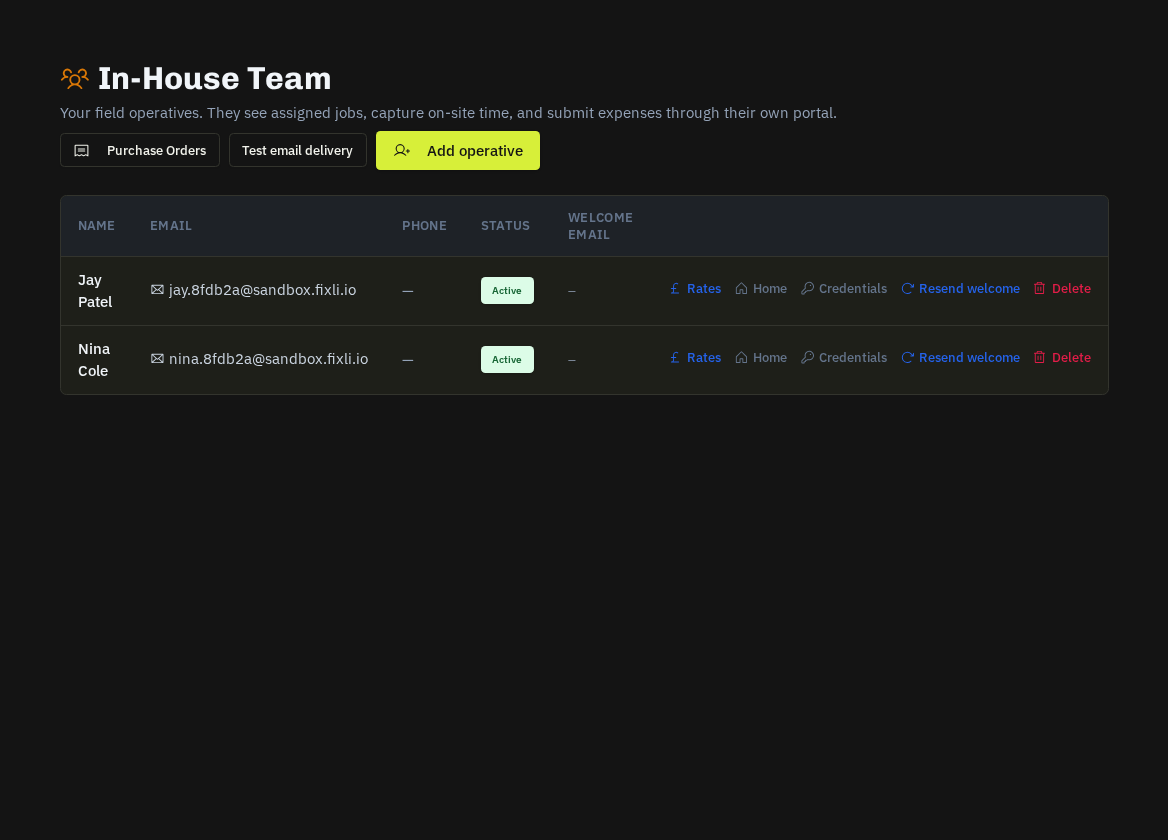
Adding an operative
In-House Team → Team → Invite: email, name, trade. They receive a welcome email with a set-password link and land in My Work.
Each operative has
| Field | Used for |
|---|---|
| Rate profile | Day / hour rates used in job costing and P&L |
| Home location | Route planning, mileage and the 06:30 briefing — set it with the Home button or let them set it in their Route Planner |
| Skills | Matching and the dispatch board filter |
| Documents | Their own certificates and licences with expiry |
| Scorecard | On-time %, completion, photo compliance, client ratings |
Actions
- Resend welcome re-issues the password link.
- Deactivate hides them from assignment while keeping history (and frees the seat).
- Crews group operatives who always work together so one drag on the Dispatch Board assigns all of them.
The daily rhythm you set up here
- Morning briefing email at 06:30 with the day's jobs and optimised route.
- Arrive / Complete with GPS check-in build timesheets and mileage automatically.
- Expenses and purchase orders logged on the job flow into approval queues here.
Note: Operatives use a seat. Suppliers' own operatives (supplier portal) do not.
Related: Dispatch Board & day routes · Mileage log & claim rate · Team scorecard · Morning briefing & route email