Help centre / HR & People
Attendance: sites, QR posters & geofenced clock in/out
Put a QR poster on the wall, let staff clock in from their phone, and push hours to payroll.
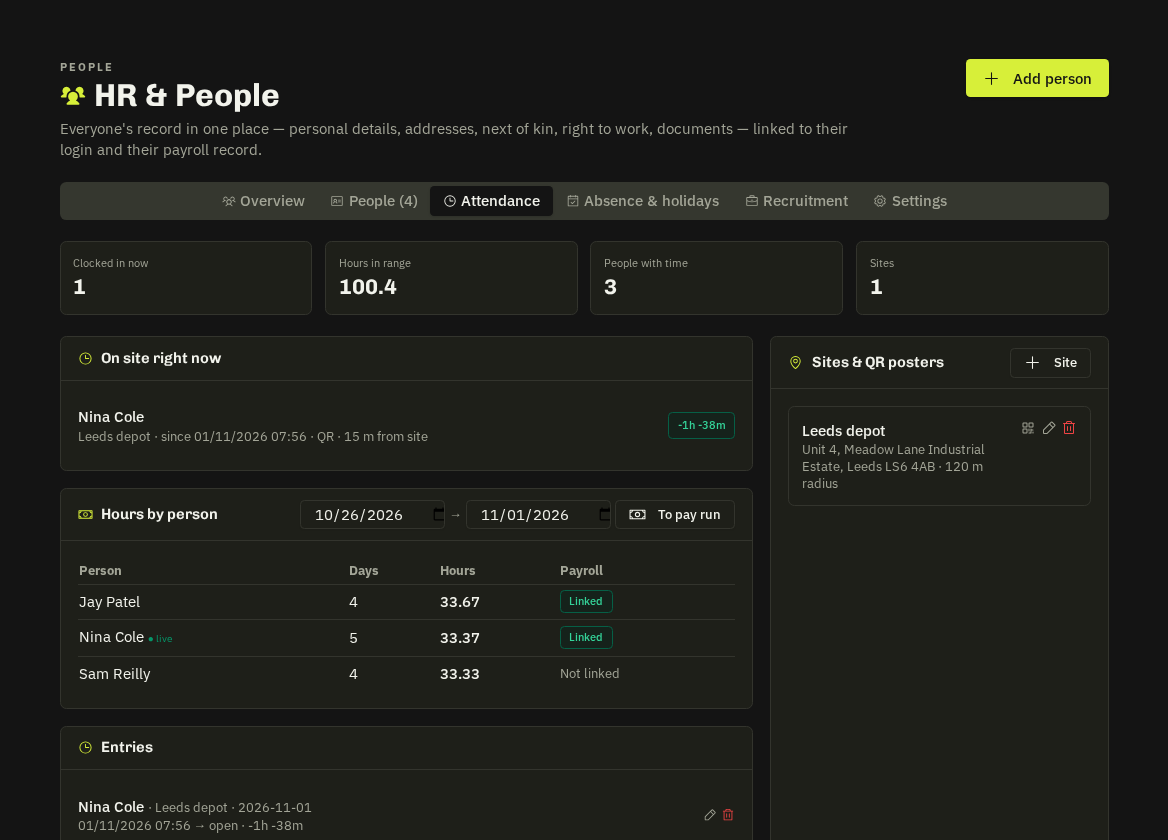
Set up a site
HR → Attendance → Sites: name, address and a radius (metres). Each site gets a QR poster (print it) and a link. Rotate QR invalidates old posters.
Clocking in
Staff scan the poster → /hr/clock opens → Clock in. The phone's GPS must be inside the site radius (accuracy allowed for); outside, clock-in is refused with the distance. A stale poster shows a clear message and falls back to a site picker so manual clock-in still works (GPS check still applies). One open entry per person.
Time entries
The Attendance tab lists entries by day; HR can adjust or delete. Push to pay run copies the hours of hourly-paid people onto the draft pay run's lines — Accounts roles only.
Tip: Engineers who arrive via a job's Arrive on site don't need to clock in as well — attendance is for fixed sites, offices and depots.
Related: HR & People overview · Payroll