Help centre / HR & People
Absence & holidays: approvals, sickness, fit notes & patterns
Two-stage holiday approval, team clashes and cover, sickness reporting, Bradford factor.
Holiday requests
An employee requests leave from My HR or My Work with a live preview: days used, days left afterwards, bank holidays, their manager's name and any short-cover days. The request goes to their line manager first; once the manager approves, HR confirms (the Absence tab shows Waiting for X or Manager ✓ name → Confirm; Approve anyway skips a slow manager). People without a manager go straight to HR.
Clashes & cover
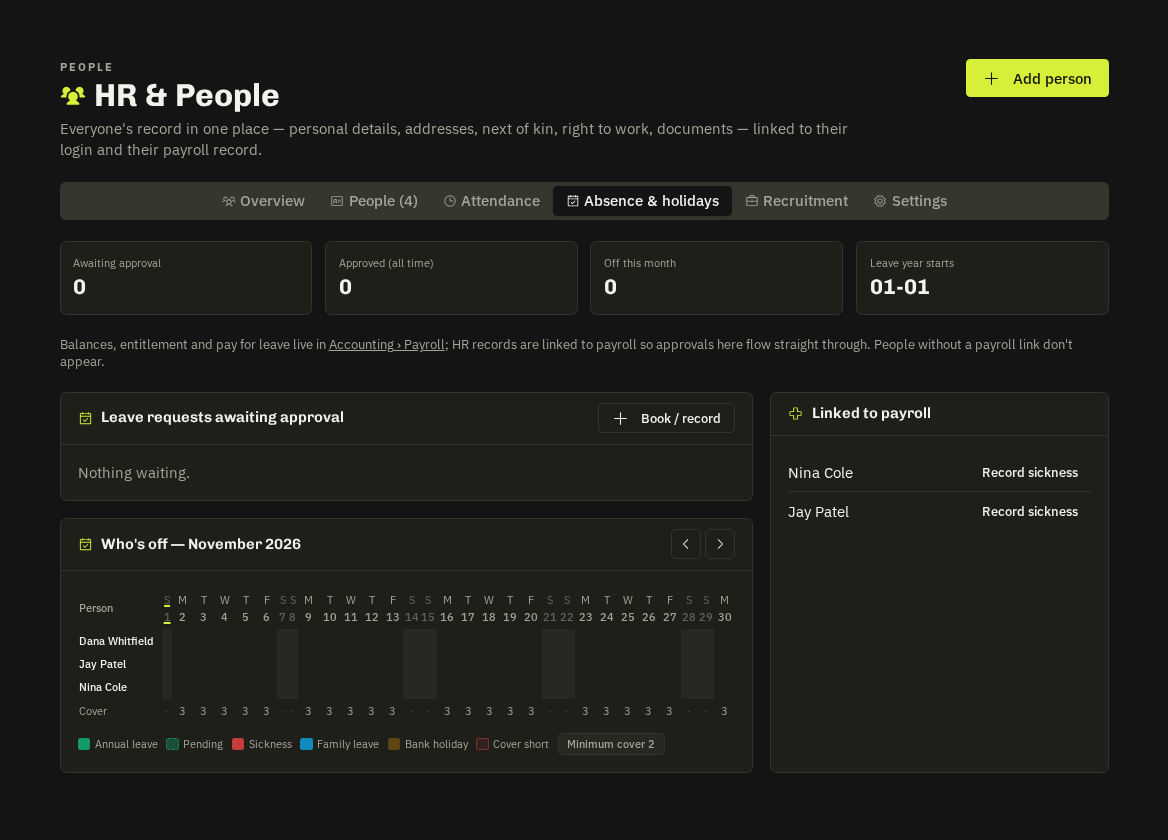
The preview and the manager's queue list teammates already off on those dates. Cover rules (minimum people in per day) come from payroll settings; a short day is flagged and you can Ask to cover a colleague who isn't rostered.
Sickness
Employees report sickness themselves (today or up to 14 days back); manager and HR are told. I'm back at work closes it, sets the return date and books a return-to-work review. After seven calendar days a fit note is requested — the upload lands in the employee's medical documents.
Month grid & patterns
Absence & Holidays shows a month grid per person: leave by type, sickness, family leave, bank holidays and short-cover days. The Overview's Sickness patterns panel scores the Bradford factor (S² × D over 52 weeks) against your watch and action thresholds from HR Settings — HR only, never shown to the employee.
Related: Leave, bank holidays & cover (payroll side) · My HR self-service