Help centre / In-House Team
Dispatch Board & day routes
Drag-and-drop dispatch per operative and the optimised day route dialog.
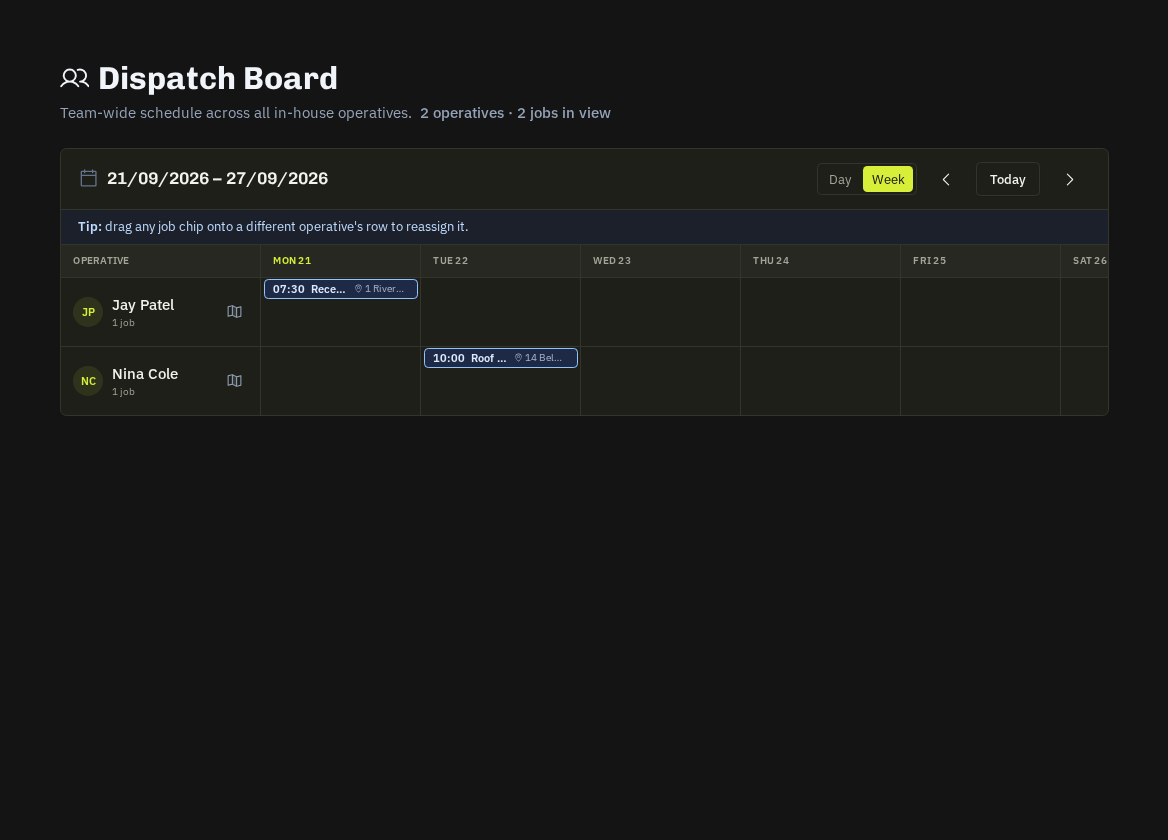
In-House Team → Dispatch Board is the fastest way to plan a day: operatives down the side, the day or week across the top, unassigned work in a tray.
Assigning
Drag a job (including contract visits) onto an operative's row to assign and schedule in one move. The operative gets the assignment email and push; the client's portal shows Scheduled & Assigned. Drag between rows to reassign; drag back to the tray to unassign.
Reading the board
- Colour = status; a red mark = a compliance or start-SLA problem.
- Chips show booked arrive / finish windows; overlapping chips warn of double booking.
- Crew rows assign every member at once.
Day route
The route icon on an operative's row opens their optimised route for the day — miles, drive time, stops with ETAs, booked-time chips, late warnings, leave / return home and Open in Google Maps — exactly what their Route Planner would build. Requires a home location.
Filters
Skill, area and date range; Unassigned only to clear the tray before the 06:30 briefing.
Tip: Plan tomorrow before you leave. The briefing email goes out at 06:30 with whatever is on the board at that moment.
Related: Assign an in-house operative · Mileage log & claim rate · Team schedule