Help centre / Job Requests & Quotes
Create a job request
Capturing the client, property, service required, what3words and photos correctly.
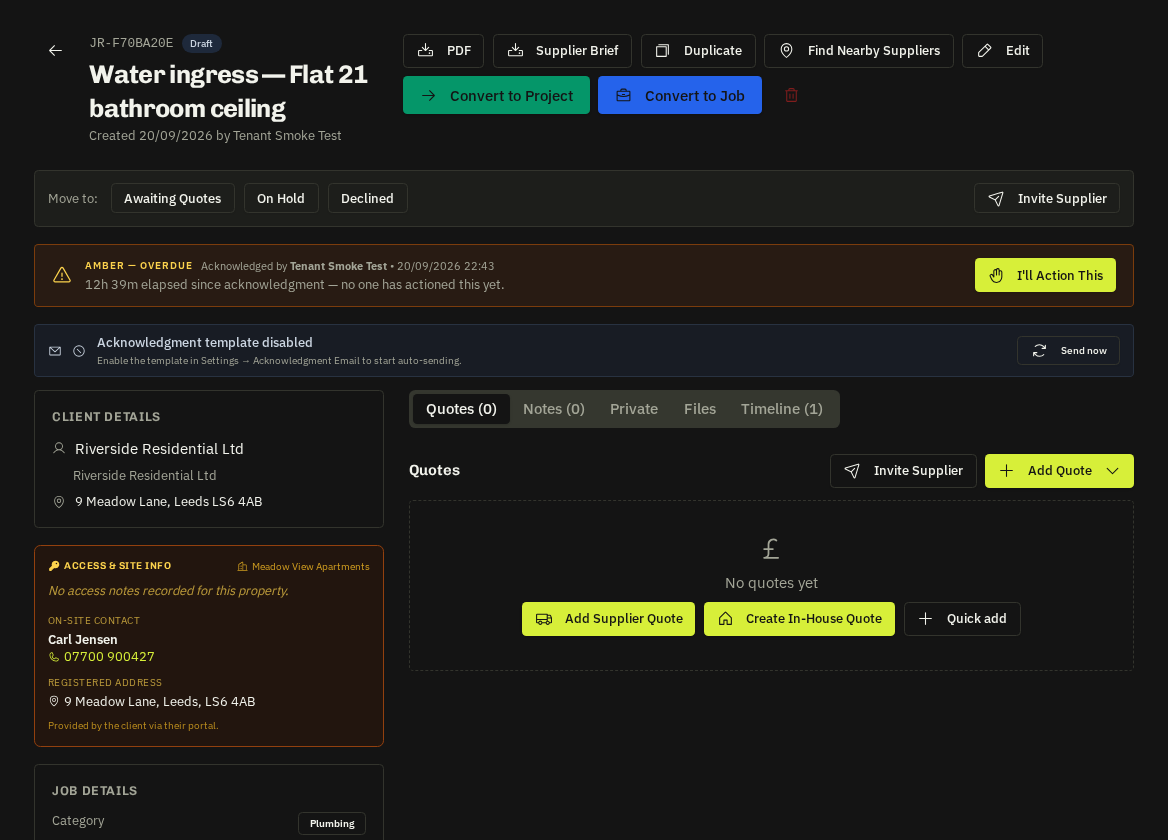
Requests → New Request. A well-captured request means the right trade is matched and the acknowledgement email lands with the right person.
Steps
- Client — pick with the client picker (search by name or company). If they have named contacts choose the requester; their email and phone are carried so the acknowledgement has a recipient.
- Address — address lookup fills street, town, postcode and coordinates. Pick one of the client's registered properties to inherit access notes and the on-site contact.
- what3words — optional
///word.word.wordfor hard-to-find entrances; it is passed to suppliers and operatives. - Title & description — as you type, Service Required is suggested from the wording (plumbing → Plumber, electrics → Electrician). Override it if needed; a manual pick is never overwritten.
- Priority & target date — priority drives sorting and the SLA colour; the target date is the client's expectation.
- Photos — attach as many as you like.
- Save.
What happens next
- The requester receives a branded "We're on it" acknowledgement with the reference.
- The request appears unclaimed at the top of the list.
- The area-match card on the request suggests suppliers who cover that area and trade, with one-click Ask.
Good habits
- Check the Service Required suggestion — it drives supplier matching.
- Use AI Brief to turn a rambling description into a tidy scope and category.
- Add the client's PO number in notes now if they work that way; it flows through to the invoice.
Related: Acknowledgement emails · Area-match suppliers & one-click Ask · what3words