Help centre / Getting Started
Welcome to your client portal
What the portal does for you and where everything lives.
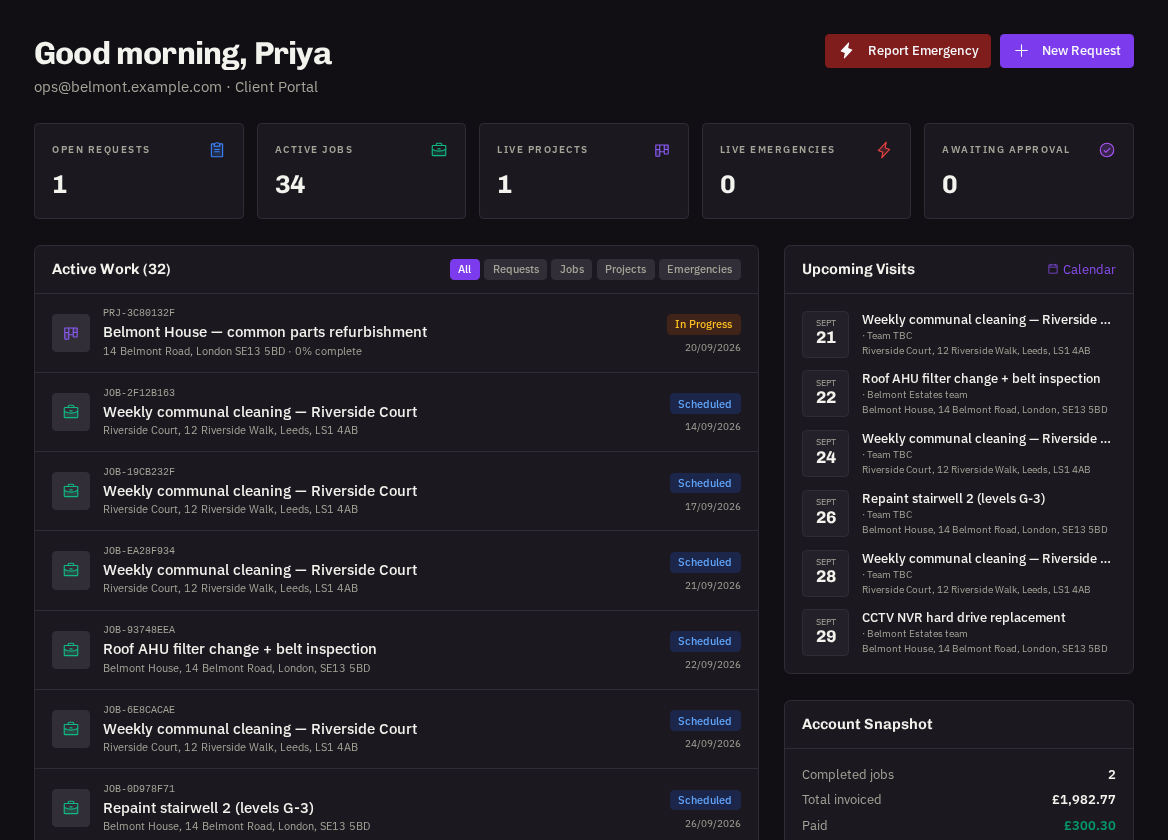
Your client portal is the one place to raise work, follow it to completion and settle up — without emailing back and forth.
What you can do here
| Raise work | Job requests for day-to-day repairs, emergencies when something can't wait, and project proposals for larger works |
| Follow progress | Every request, emergency, job and project has a live progress tracker, an activity timeline, photos and completion certificates |
| Manage contracts | See every visit under a recurring contract, book extra dates, move or cancel visits and rate the work |
| Decide and pay | Approve or decline quotes online, view invoices with your PO number, pay by card or confirm a bank transfer |
| Keep details tidy | Register your properties with access notes, invite colleagues, choose your notifications |
Finding your way around
The left menu is split into Work (Dashboard, Job Requests, Emergencies, Jobs, Projects, Contracts, Calendar, Quotes, Invoices, File Hub, Messages) and Account (Properties, Reports, Team, Notifications, Settings, Help). On a phone the menu collapses into a bottom bar.
Your role
What you can press depends on your tier — Administrator, User or Viewer. If a button is greyed out, an Administrator on your team can do it or change your tier.
Help on any page
Press the round ? button in the bottom-right corner. It shows the guides for the page you're on, lets you search, and can answer a plain-English question.
Tip: Install the portal on your phone (Settings → Install app) to get push alerts when a quote needs a decision or an engineer is on the way.
Related: Signing in & passwords · Your dashboard · Portal roles