Help centre / Files, Properties & Account
Settings, notifications & the app
Your profile, email preferences, password and installing the portal on your phone.
- Settings → Your Profile: update your name and phone. Organisation shows your company, account email and your portal role.
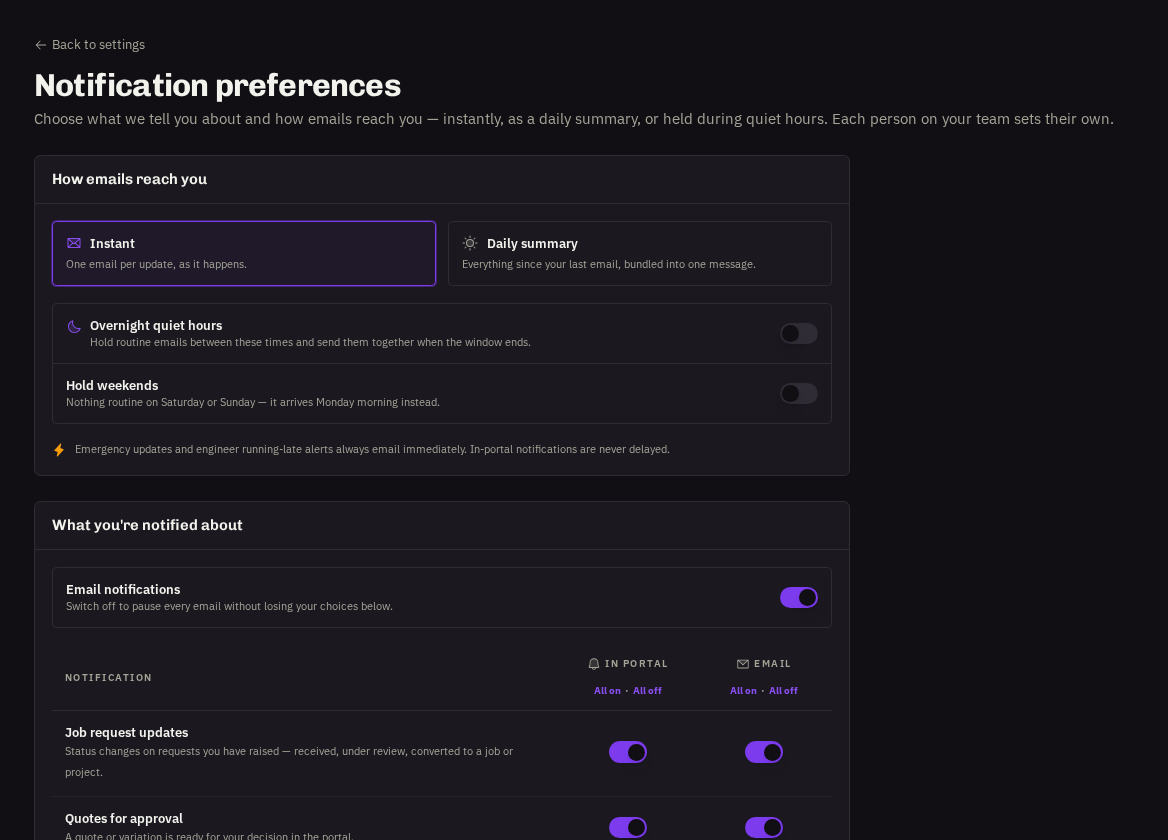
Notifications
Tick Email me about job updates in Settings for email copies of portal alerts, and fine-tune categories on the Notifications page (Account → Notifications → Notification Preferences). In-app alerts always appear in the bell.
- Security: Change password from Settings → Security.
Install the app
The Install app card in Settings (or your browser's 'Add to Home Screen') puts the portal on your phone or desktop as a full-screen app that stays signed in and can receive push notifications.
- Dark mode: toggle it from the sun/moon icon in the header.
Related: Signing in & passwords