Help centre / Quotes & Invoices
Approving or declining quotes
Where quotes appear, what you'll see, and how an Administrator decides.
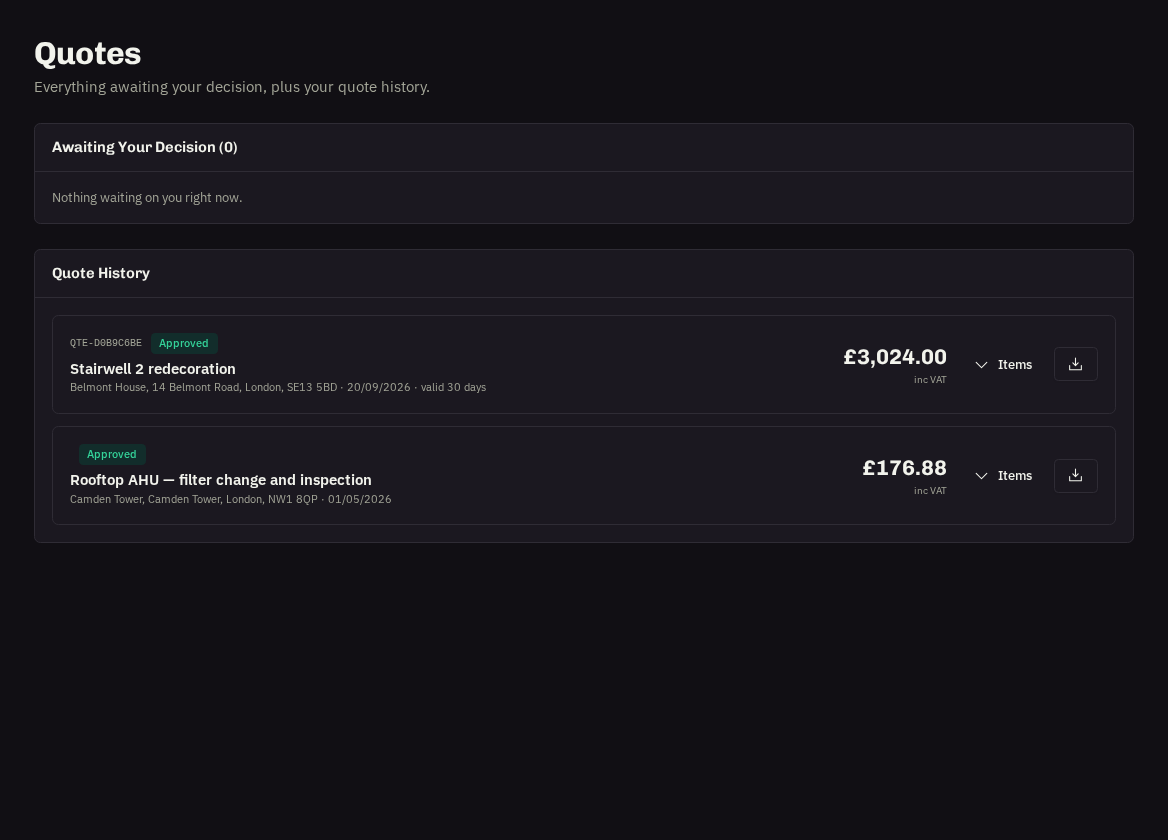
When our team has priced a request or project we send a quote for your decision. You'll get a notification; it appears under Quotes → Awaiting your decision and on the request itself as the quote approval card. The dashboard's Awaiting Approval tile counts them.
What you'll see
The quoted total, the line items, validity date, notes from our team and a PDF to download or forward internally.
To approve
- Press Approve.
- Add an optional note — a PO number or a start-date preference is useful; the PO is printed on the invoice.
- Confirm. The request moves to Approved — Scheduling and we book the work.
To decline
Press Decline, tell us why (too expensive, no longer needed, want alternatives) and confirm. Our team will come back with options or close the request.
Who can decide
Only Administrators. Users and Viewers can see the quote and comment on the request but the buttons are disabled for them.
Quote history
Everything already approved or declined, with dates and who decided.
Tip: Quotes have a validity date. If it passes, ask us to re-confirm the price rather than approving an expired quote.
Related: Following a request · Portal roles · Invoices, PO numbers & confirming payment