Help centre / Requests & Emergencies
Price mandates: skip the quoting stage
Pre-authorise a spend limit so routine work is scheduled immediately.
If you already know you're happy to pay up to a certain amount, a price mandate lets us skip quoting and get straight on with scheduling.
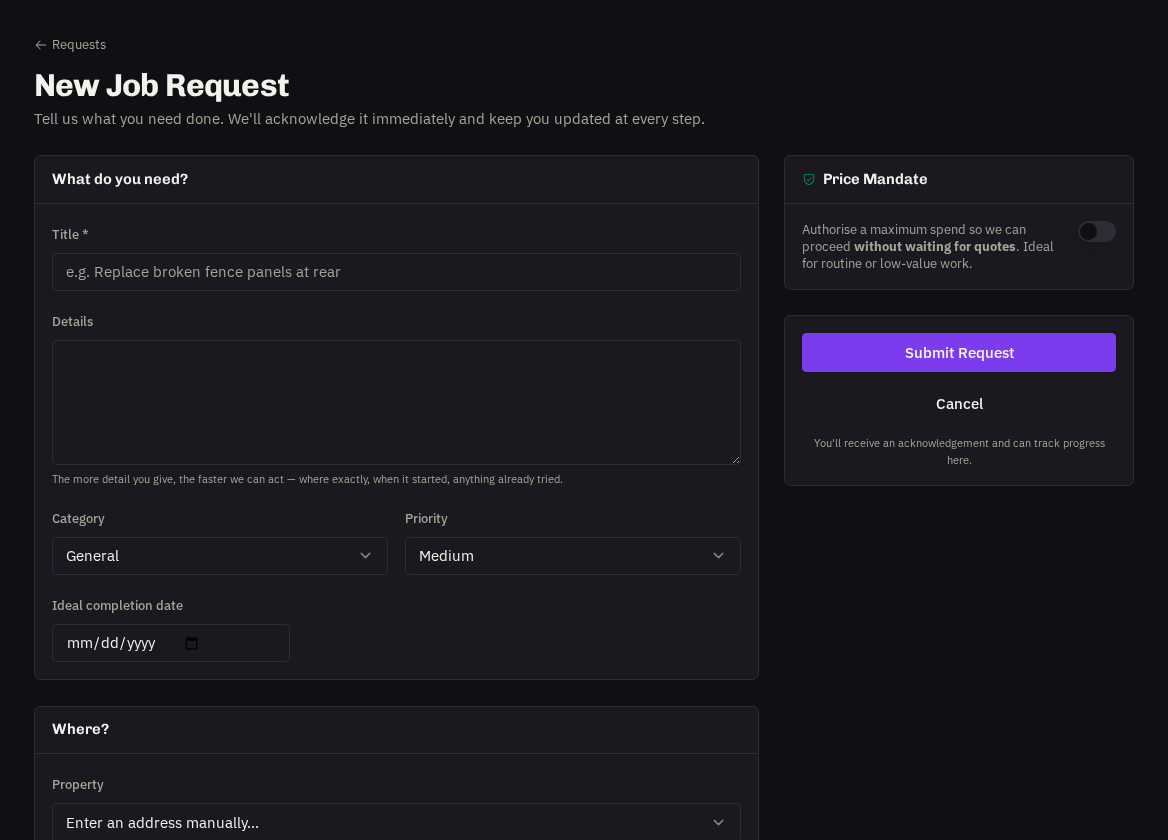
How to set one
When raising a request, tick Price Mandate, enter the Maximum cost (£, ex VAT) and, if you like, Conditions — for example 'Use our usual contractor if available' or 'Weekday mornings only'.
What we do with it
The request shows a mandate badge and moves straight to review and scheduling. If, once assessed, the work is likely to exceed your limit, we pause and send you a quote first — you're never charged above the mandate without approving it.
- When it's a good idea: routine call-outs, like-for-like replacements, anything you'd normally approve without thinking.
- When it isn't: unknown-scope problems (water ingress, electrical faults) where a proper diagnosis and quote protect you.
Related: Raising a job request · Approving or declining quotes