Help centre / Jobs, Projects & Contracts
Following a job
The Jobs list, the job page, photos, certificates and the linked invoice.
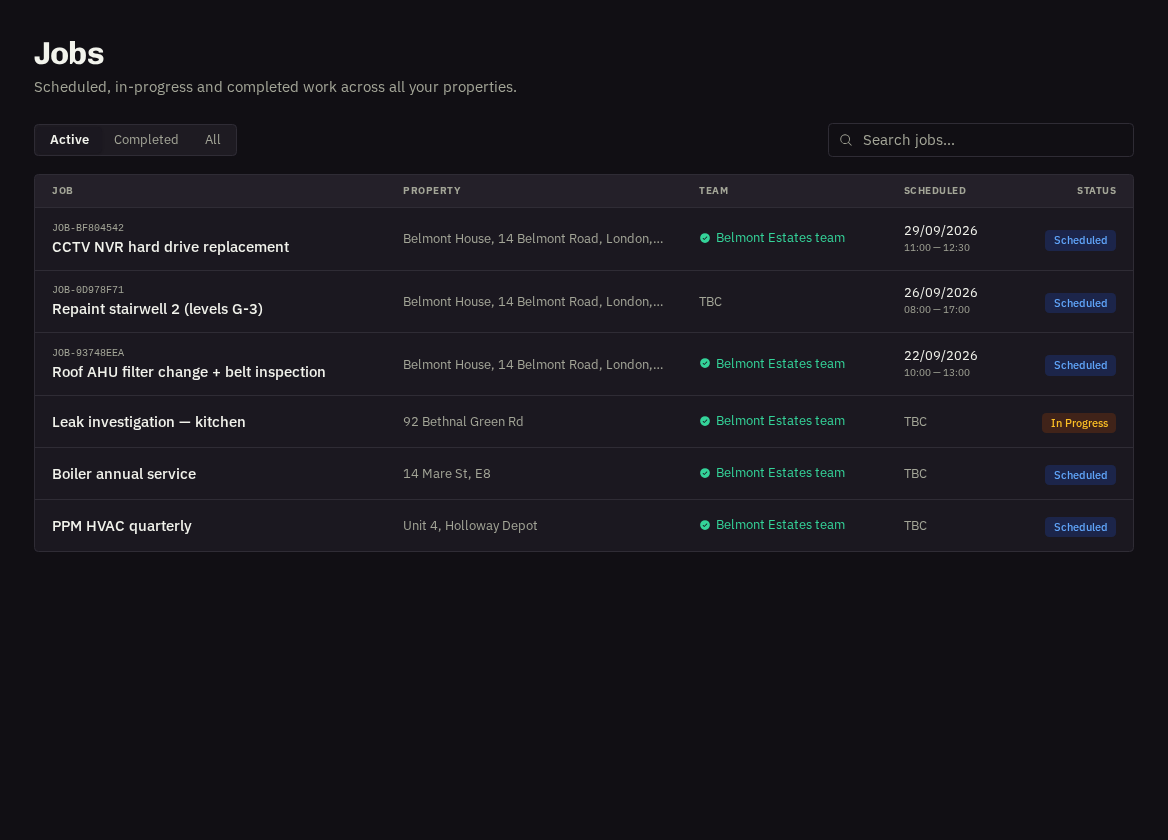
A job is approved work that has been booked in. Jobs → search by reference, title or address and open any row.
Progress
Scheduled (booked with a date and contractor) → In Progress (the contractor is on site) → Completed. Cancelled jobs remain visible with the reason in the activity.
- Schedule & Details: the date and arrive/finish window, category, description and any instructions you gave us.
- Property: the address (with a what3words link where set) and the on-site contact.
Who's attending
Shown as 'Contractor assigned' or your organisation's branded team name, or the contractor's name if your provider has enabled that for you (see Who's attending?).
Completion Documents & Certificates
Completion notes, before/after photos the team has shared, and any forms or certificates (for example gas safety or electrical test sheets) as downloadable PDFs.
- Invoice: once raised, the invoice card appears on the job with its status; press it to view or confirm payment.
- Files — opens the job's folder in File Hub; the request link takes you back to the original request.
- Contract visits — are not listed under Jobs to keep the list readable — find them under Contracts and on the Calendar.
Related: Who's attending? · Contracts: your recurring visits · File Hub