Help centre / Quotes & Invoices
Invoices, PO numbers & confirming payment
Reading an invoice, paying by card or bank transfer, pressing 'I've paid', and how contract visits are billed.
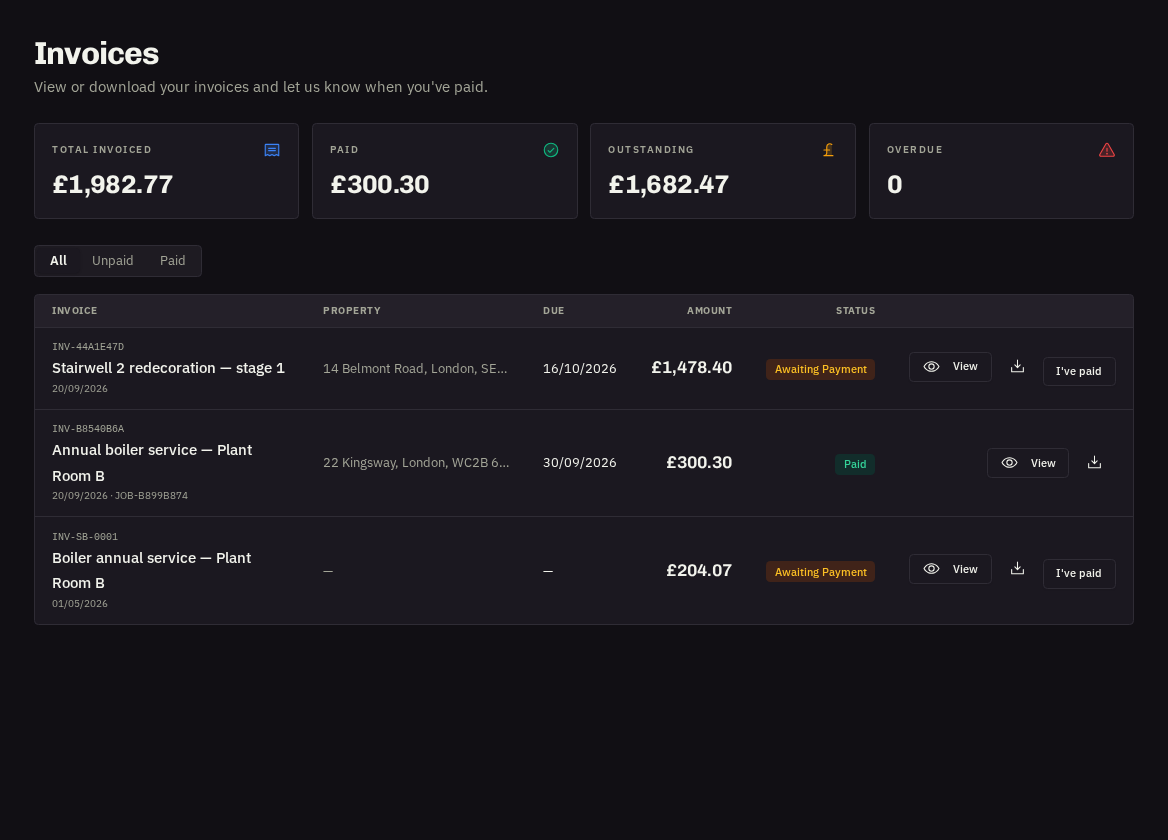
Invoices lists every invoice with its status — Awaiting Payment, Overdue (past the due date) or Paid. Open one for the full document.
On the invoice
Who it's from (with their logo), Bill to, reference and dates, Your PO, each line with quantity and unit price, subtotal, VAT and Total due, payment notes, attached photos of the work and the provider's bank details. Press Download for the PDF.
Paying
| Method | How |
|---|---|
| Pay by card | If offered, press Pay by card — a secure checkout opens; the invoice is marked Paid automatically and you get a receipt |
| Bank transfer | Use the bank details shown and quote the invoice reference. Then, as an Administrator, press I've paid and enter the method, your payment reference and any notes; our team verifies receipt and marks it Paid |
Reminders
A courtesy reminder goes out 3 days before the due date and again if an invoice becomes overdue. If something looks wrong, comment on the linked job or message us before the due date.
PO numbers
Give us your PO when approving a quote or in the request notes and it's printed on the invoice. For contracts, POs are usually per visit — give them to us as visits are booked.
Contract invoices
Depending on your agreement you'll receive one invoice per visit (each with its own PO) or one combined invoice per month with a line per visit.
Note: Only Administrators can confirm payments or pay by card. Users and Viewers can view and download.
Related: Approving or declining quotes · Contracts: your recurring visits