Help centre / Jobs, Projects & Contracts
Contracts: your recurring visits
Reading a contract page: what's covered, the visit calendar, the team and the booking rules.
A contract is recurring, contracted work at one property — cleaning, grounds, inspections, planned maintenance. Contracts lists each one with its next visit; open a contract to see everything.
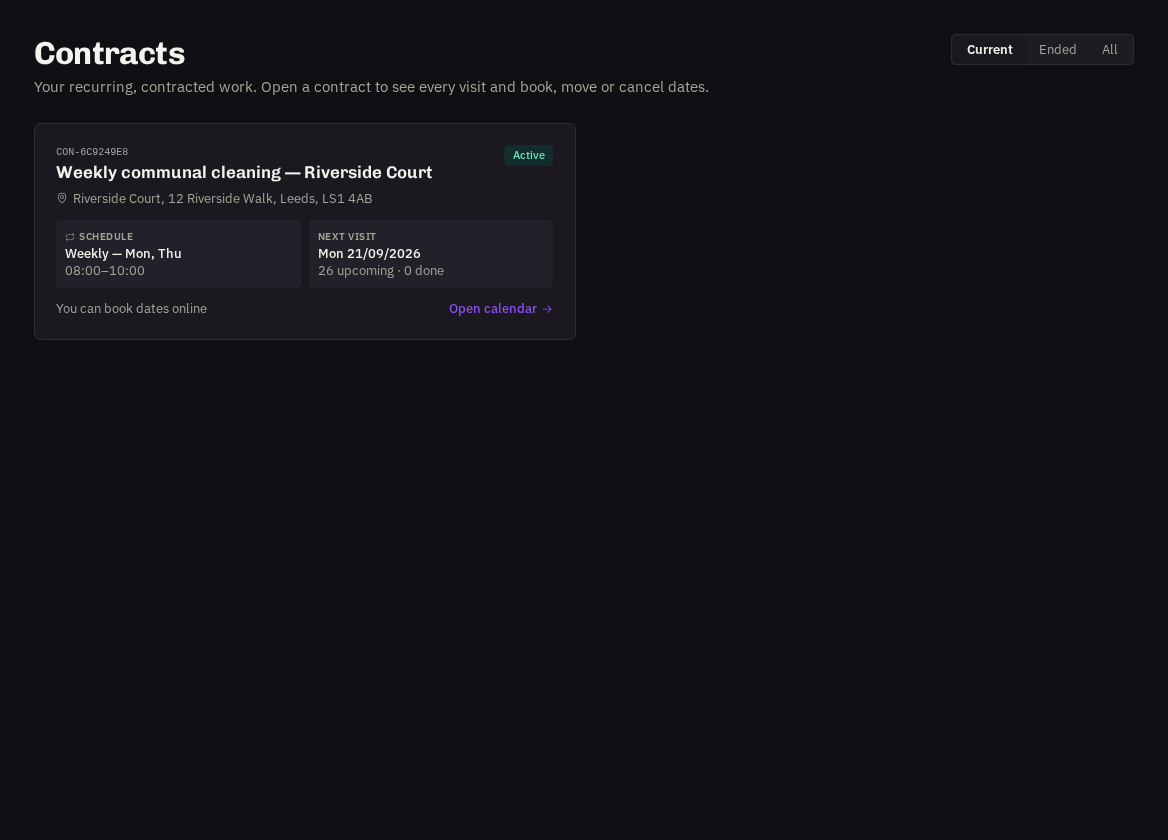
- What's covered: the agreed scope, frequency and visit times.
- Next visit and team: the next scheduled date and who attends — shown as your branded team name unless contractor names are enabled for you.
Calendar
A month grid of every visit. Colours: teal scheduled, violet booked by your organisation, orange on site today, green completed. A red ring marks a visit booked at short notice.
- Upcoming visits — and Recent visits lists sit beneath the calendar; open any visit for its details, photos and (once completed) the Rate visit button.
Booking rules
If your provider has enabled self-service booking you'll see the rules card — minimum notice and the short-notice threshold — and the calendar becomes interactive (see Booking, moving & cancelling visits).
Invoicing
Contract visits are invoiced per visit or combined monthly, each carrying the PO you gave for that visit. See Invoices, PO numbers & confirming payment.
Related: Booking, moving & cancelling contract visits · Rating a completed visit · Calendar