Help centre / Contracts & Block Bookings
Contracts & block bookings overview
Recurring contracted work: how contracts, visits and the client portal fit together.
A contract is long-term, repeat work for one client at one property — daily office cleaning, weekly grounds, monthly inspections. You set the pattern once and every date becomes a visit.
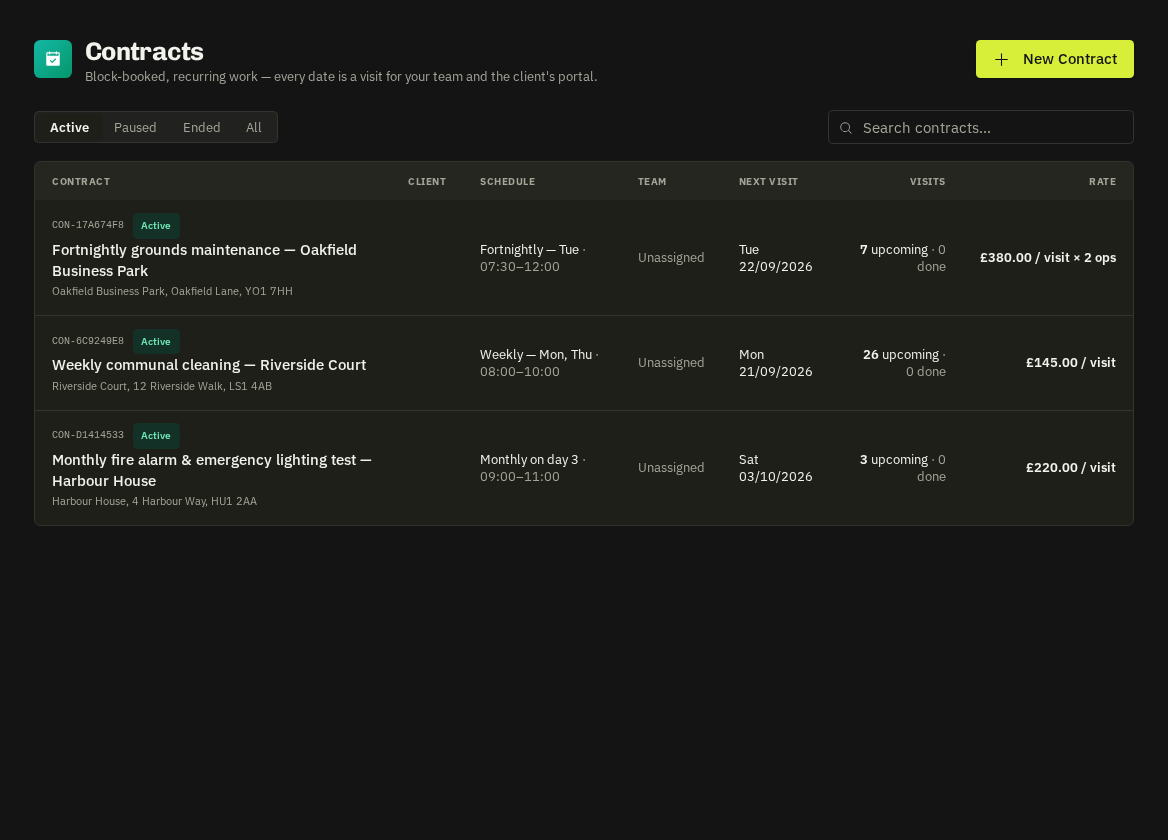
Visits are real jobs
Each booked date is a job tagged with the contract and pre-filled with the contract's default team, rate model and instructions. That means visits show on the Calendar (teal, ↻), the Dispatch Board, the in-house and supplier portals, arrive / complete flows and invoicing — but they are kept out of the main Jobs list. Find them on the contract's Calendar and Visits tabs.
What a contract defines
| Setting | Options |
|---|---|
| Pattern | Daily, weekly (chosen weekdays), fortnightly, monthly, or a block booking of specific dates |
| Term | Fixed end date, or open-ended (topped up 90 days ahead every night) |
| Default team | An operative, a crew or a supplier |
| Rate model | Per visit, per hour, or monthly fee |
| Client permissions | Book extra dates, move / cancel future visits, rate completed visits |
Client portal
The client sees the contract, its schedule and every visit. If enabled, they can book extra dates, move or cancel future visits and rate completed ones. Their changes are auto-confirmed and flagged to you with a client-changed badge.
Invoicing
From the contract's Invoicing tab raise per-visit invoices (each with its own PO) or a combined monthly invoice with a line per visit.
Tip: Set the contract's default instructions carefully — every visit inherits them, so the operative sees the alarm code and sign-in routine without you retyping it.
Related: Create a contract · Contract calendar & block booking · Contract invoicing