Help centre / Accounts & Payroll
Receipts, expense claims & mileage
Receipt Snap from the phone, matching to the bank, paying people back and HMRC mileage rates.
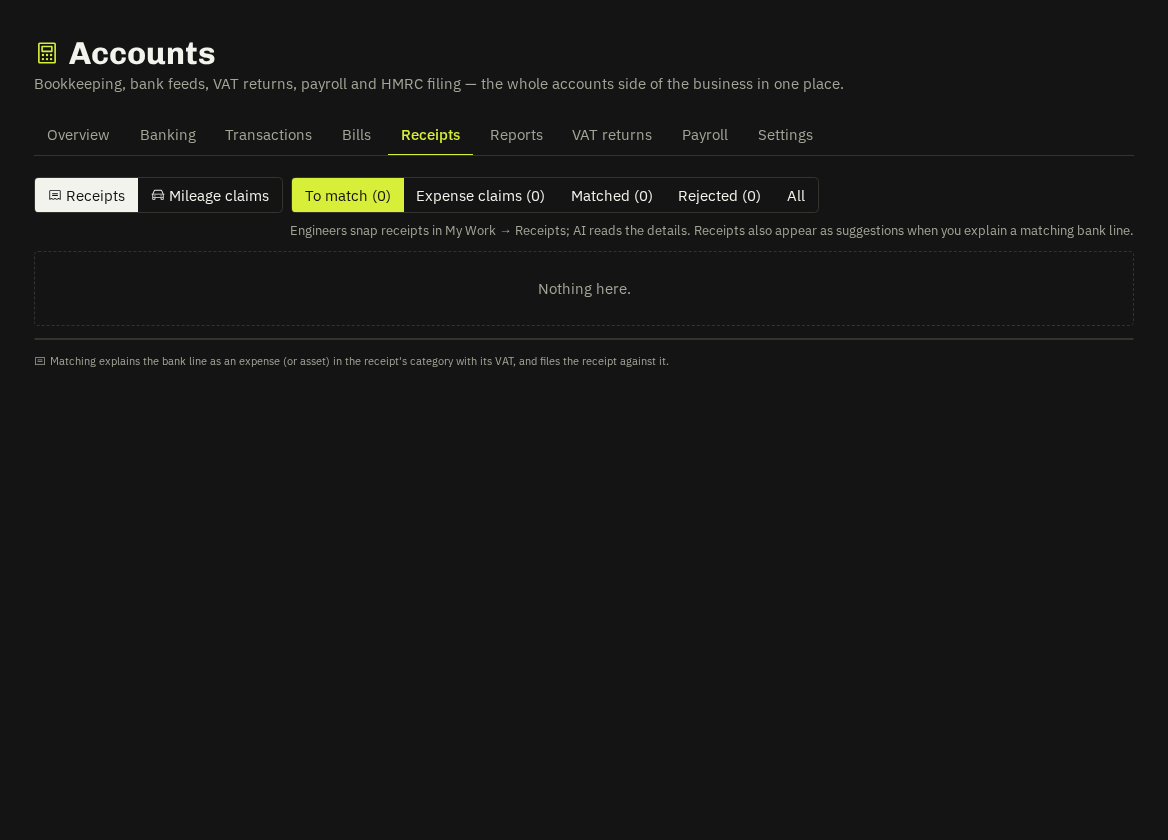
Receipt Snap
Engineers photograph receipts in My Work → Receipts; AI reads supplier, date, total, VAT and category; they choose how it was paid — company card or paid personally.
In the office (Receipts tab)
- Company-card receipts appear as suggestions on same-amount bank lines within 7 days; Match explains the line with the receipt's category and VAT and files the image.
- Paid personally → Approve claim: route payroll (lands untaxed on the person's next payslip and is marked reimbursed when the run is approved) or bank transfer (becomes matchable to the transfer line).
- Reject with a reason — the engineer is told.
Mileage claims
Engineers log trips (or tap Log mileage on a job — destination and miles pre-filled from the previous job / home or your base, per the setting). Receipts → Mileage claims: approve (45p for the first 10,000 business miles in the tax year, then 25p — the split is re-priced from miles already approved), reject with reason, mark paid. Approved claims go to the next payslip or the bank route like expenses.
Tip: Cars and vans only; the trip stores the job reference so the panel shows map said N mi when someone edits the estimate.
Related: Banking · Payroll · Mileage log (route planning)