Help centre / Accounts & Payroll
Accounts & Bookkeeping: the module at a glance
Tabs, who can see them, first-time setup and the connections you may want.
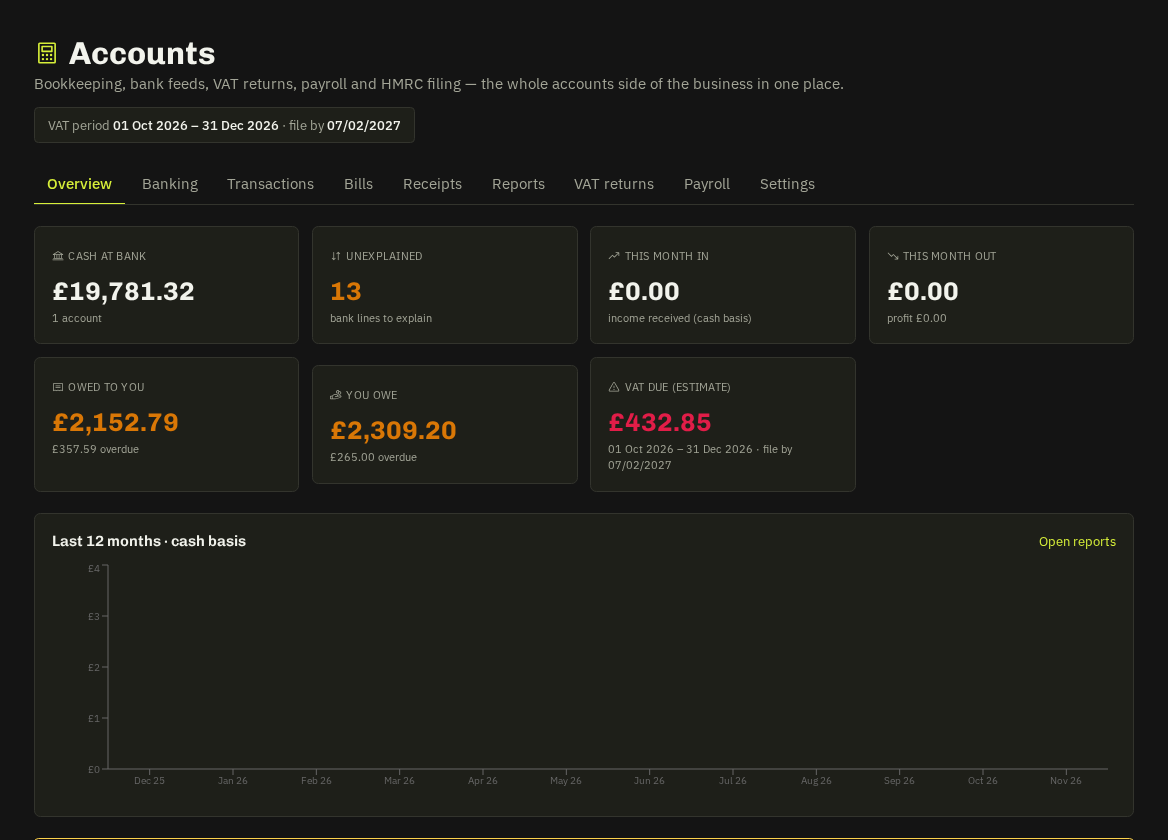
Accounting (an add-on; Payroll sits with the HR & Payroll add-on) is FreeAgent-style bookkeeping built around your jobs: Overview · Banking · Transactions · Bills · Receipts · Reports · VAT returns · Payroll · Settings. Super admins and admins see it; engineers only get their own self-service tools in My Work.
First-time setup (Settings tab)
- VAT scheme — standard (invoice), cash or flat rate — plus your VAT periods/stagger; or not VAT registered.
- Categories — a UK chart of accounts is seeded; rename or add.
- Bank accounts — add each account, then import statements or connect a feed.
- Office e-mail address — receives the bills roundup, leave digest and marketplace nudges.
- Labour costs — default fully-loaded £/hour and per-engineer rates for job profit; thresholds for low-margin and over-quote alerts.
- Bank rules — explain recurring lines on arrival.
Connections
Settings → Connections stores, per workspace: TrueLayer (bank feeds), HMRC MTD VAT, HMRC PAYE references. Accounting software (Xero, QuickBooks, FreeAgent, Sage, Zoho Books, FreshBooks) connects through Settings → Integrations and is mapped in Accounts → Settings.
Overview tab
Money in / out, bank balances, to explain, you owe (bills, with overdue), owed to you (invoices), VAT position and upcoming payroll.
Related: Banking & explaining lines · Bills · VAT returns · Payroll · Reports & job profit