Help centre / Accounts & Payroll
Supplier bills: snap, approve, pay & who you owe
Enter or photograph bills, let AI read them, link them to jobs, get reminders and statements.
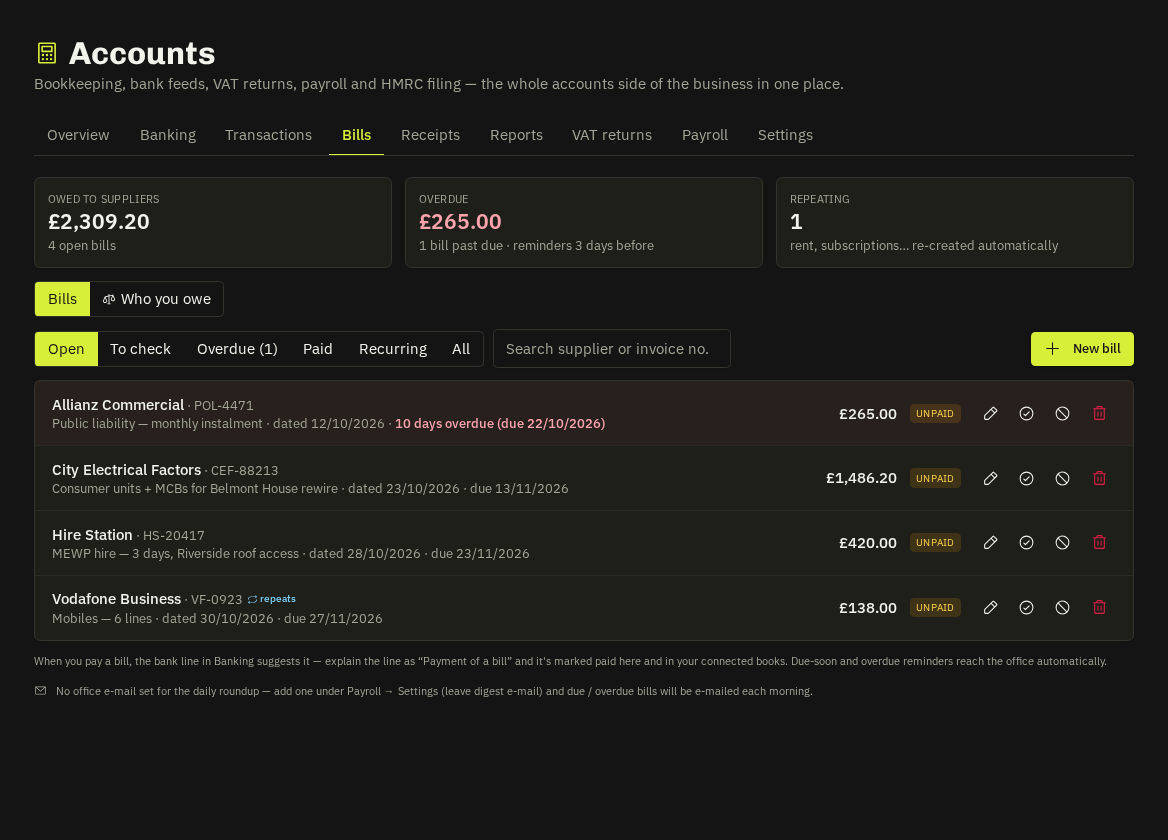
Adding a bill
Bills → New bill: upload the PDF or photo and AI reads supplier, reference, dates, total, VAT and category for you to check; or type it. Link it to a job (it feeds job profit the moment it's approved) and mark it recurring (weekly → yearly) to have the next copy created for you.
Engineers can Snap a bill on site from My Work (photo + supplier + the job it's for); it lands under To check for the office to approve or reject with a reason.
Statuses
To check → unpaid → part-paid → paid (via the bank line), void, or Mark paid when there's no bank line. Amounts lock once a bank line is matched.
Reminders & roundup
In-app reminders 3 days before due and when overdue; a morning roundup e-mail to your office address whenever anything is due within 3 days or overdue (preview / Send now under the list).
Who you owe
Bills | Who you owe switches to aged creditors per supplier (not yet due, 1–30, 31–60, 61–90, 90+). Click a supplier for the statement — every open item with days overdue — download PDF/CSV or e-mail the statement to the supplier (address remembered).
Note: Bills push to your accounting software as supplier invoices, and the bank payment is applied against them there when the matched line syncs.
Related: Banking · Reports & job profit · What engineers can do in My Work